Access & security
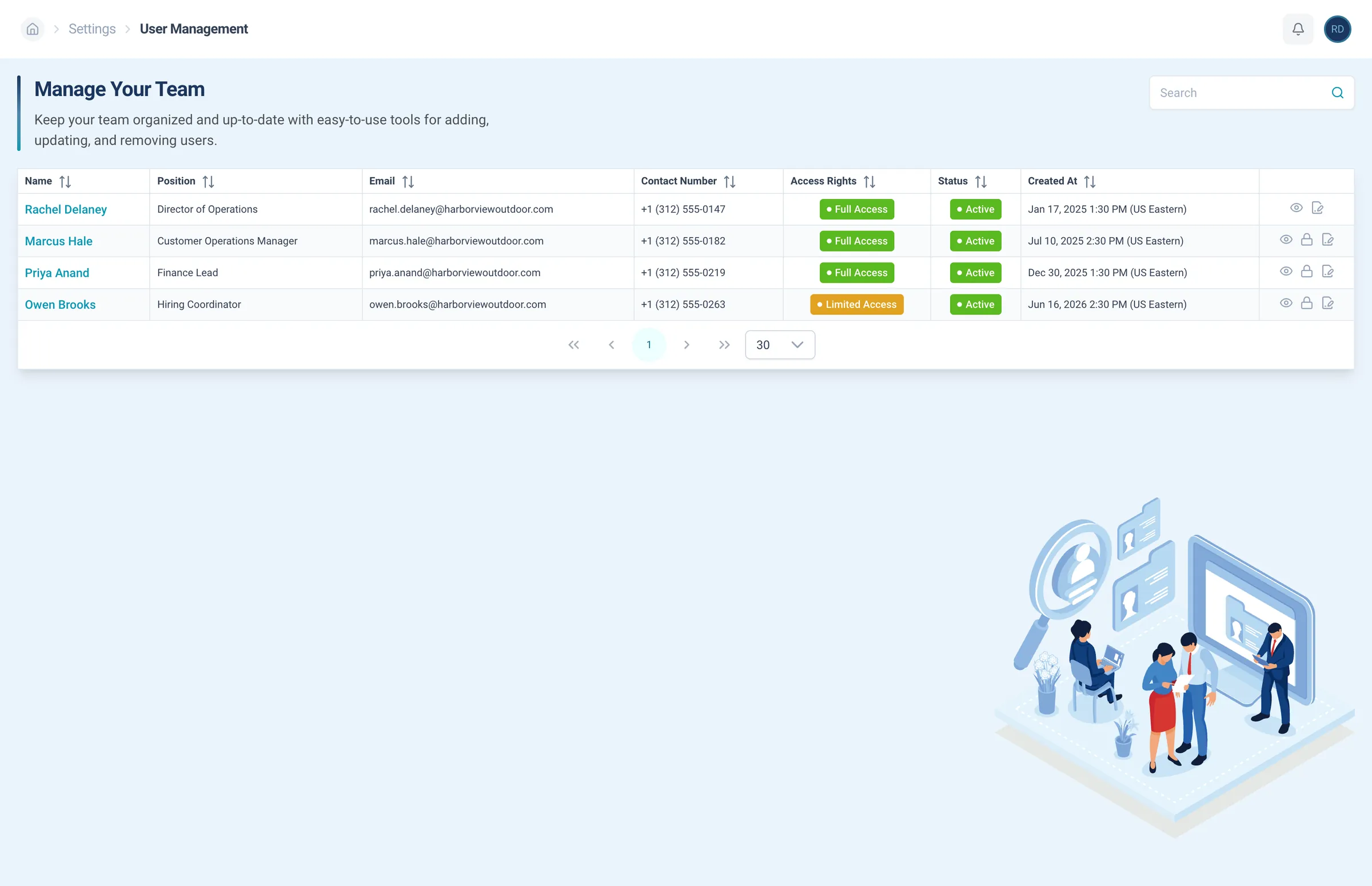
Add people from your side and decide which positions each user can see and manage.
RE Portal · Workforce
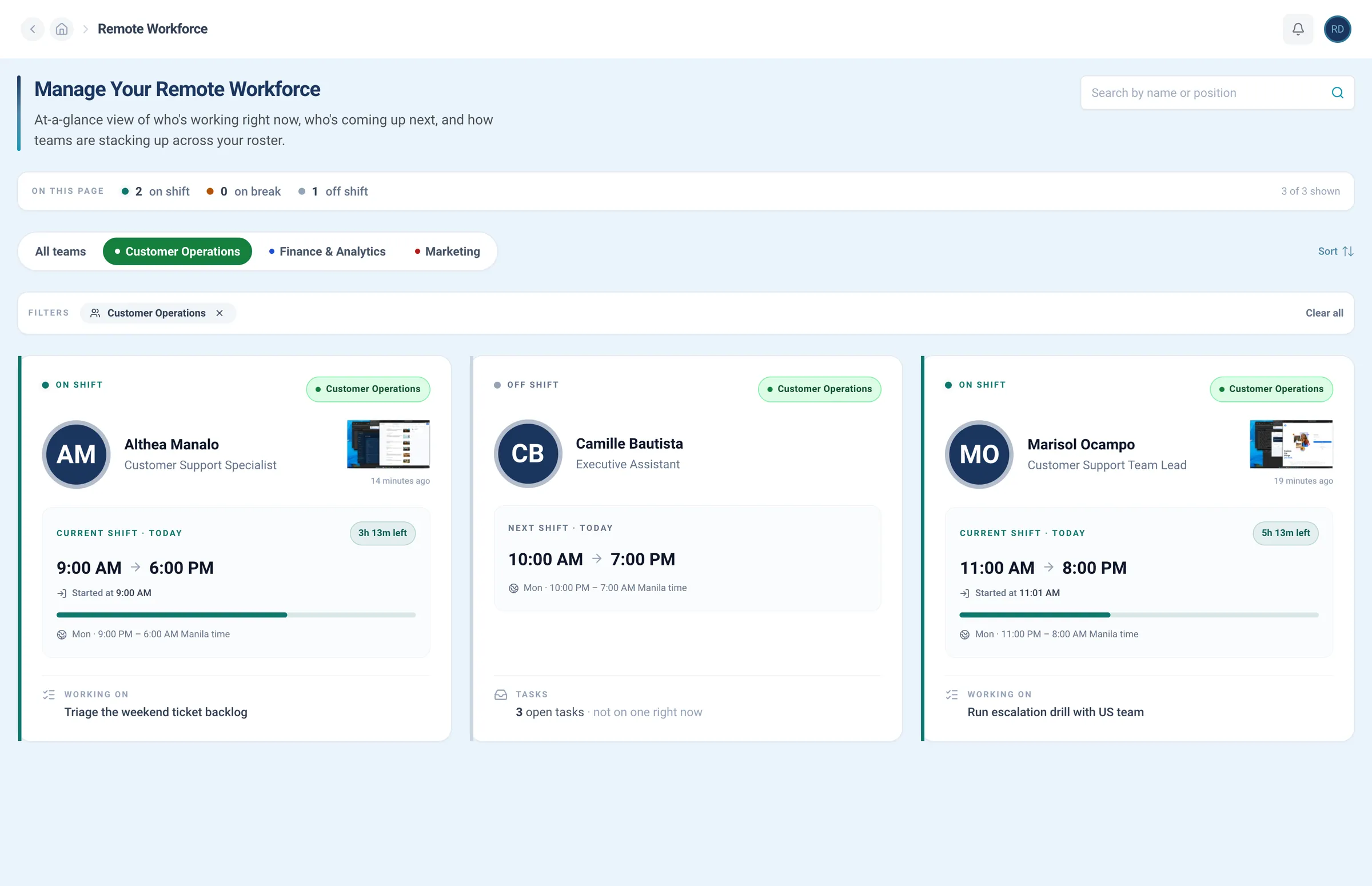
Employee portal software that lists your whole team with each person’s role and access, holds your SOPs, and answers questions from them.
As featured in


















Set who sees what, turn your SOPs into an internal knowledge base, and connect the AI assistant you already use.
Access & security
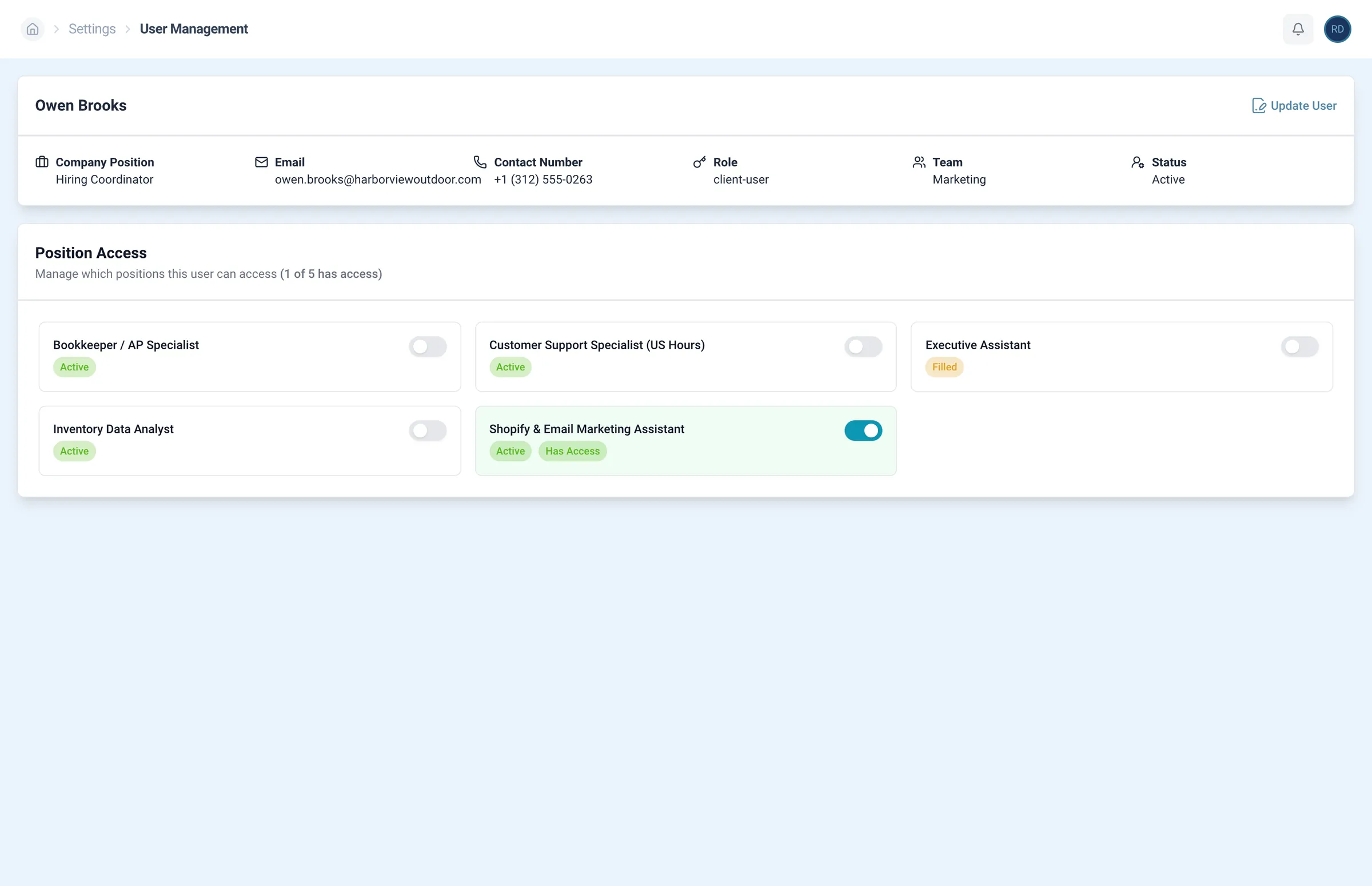
Give each person full or limited access, so they work in the positions they need and nothing more.
Add people from your side and decide which positions each user can see and manage.
Knowledge base
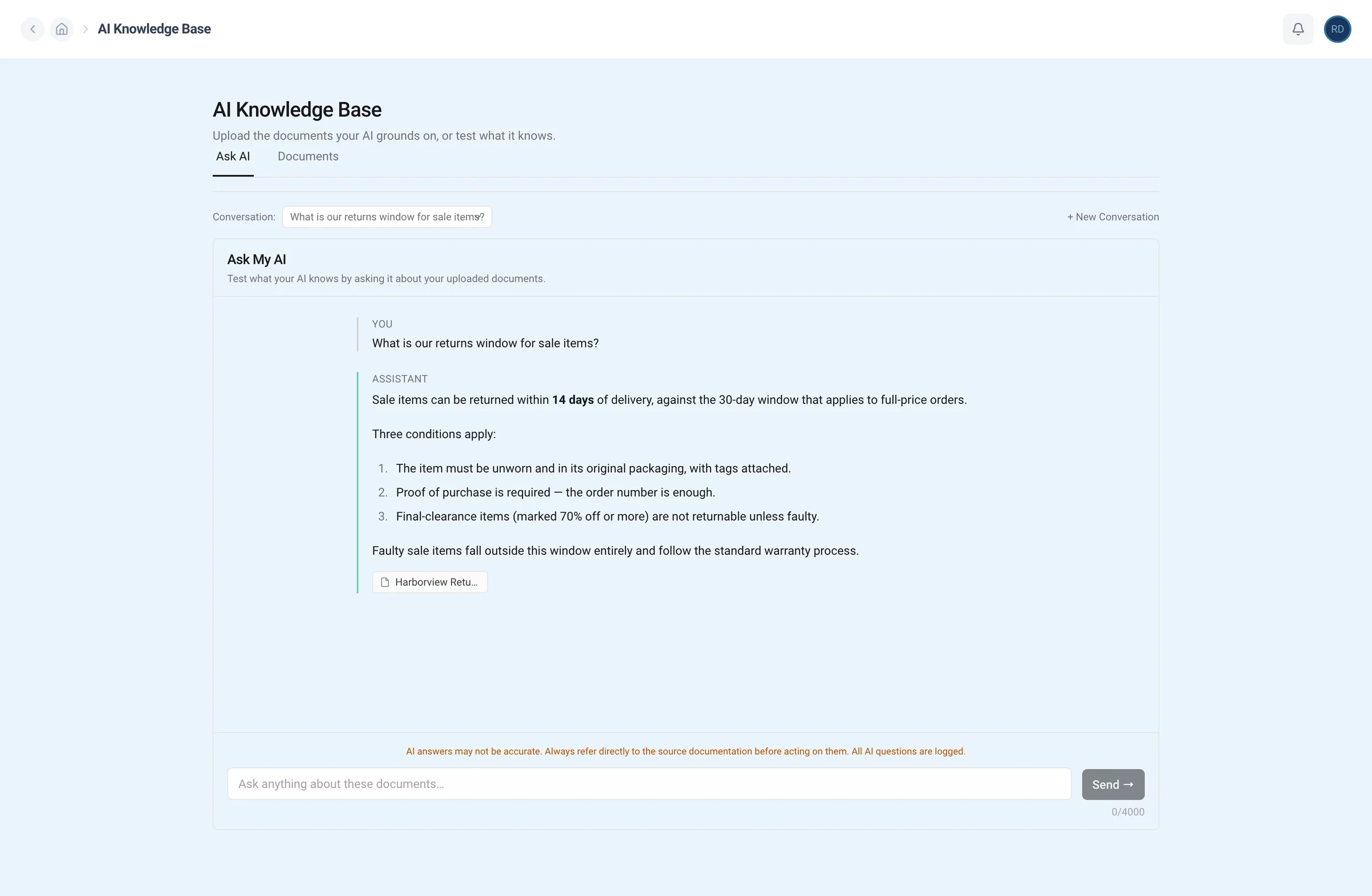
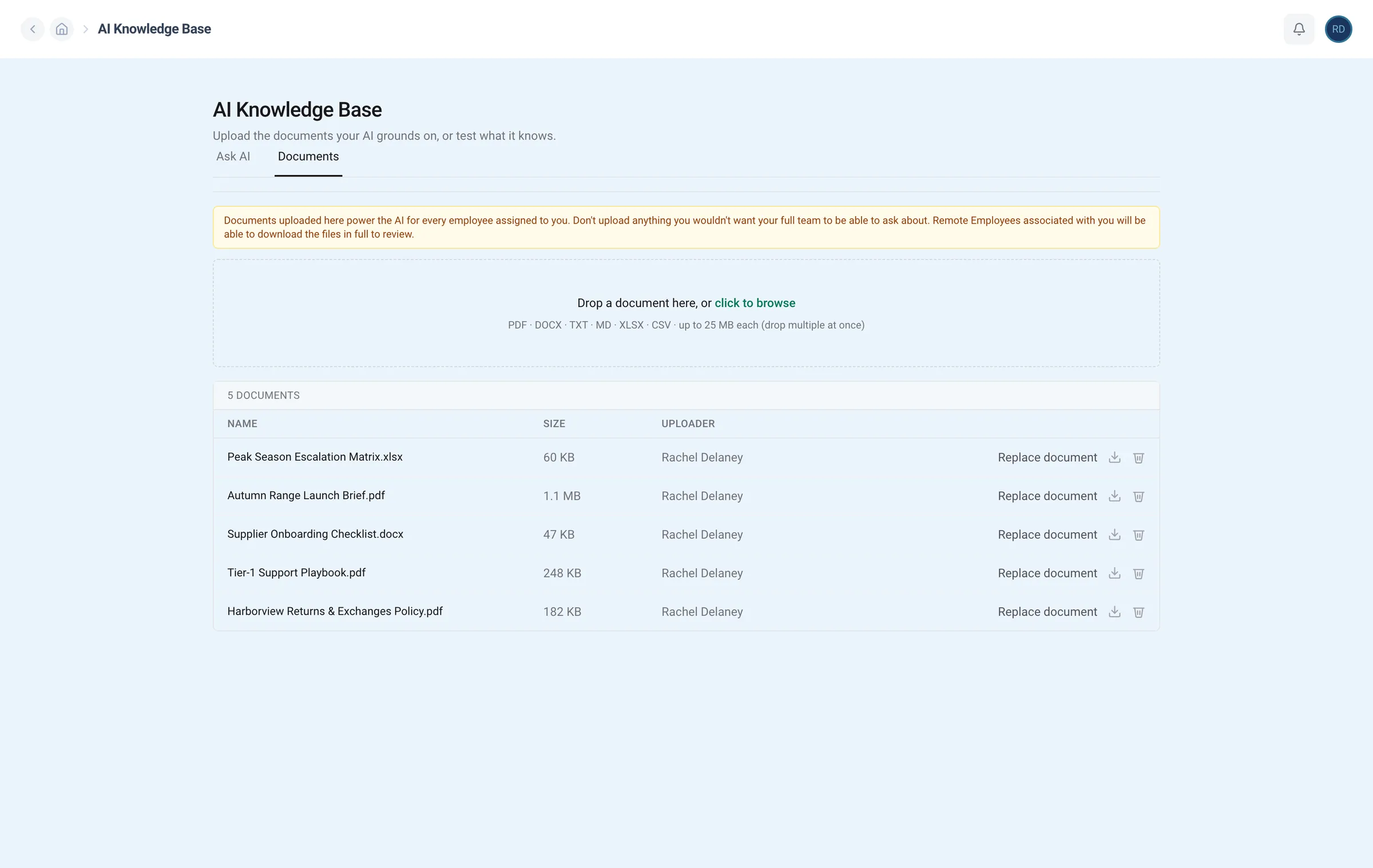
Upload your SOPs and process docs once. Your team finds the answer instead of asking you again.
Upload your SOPs and policies for your team to learn from. Replace or remove them at any time.
AI assistant
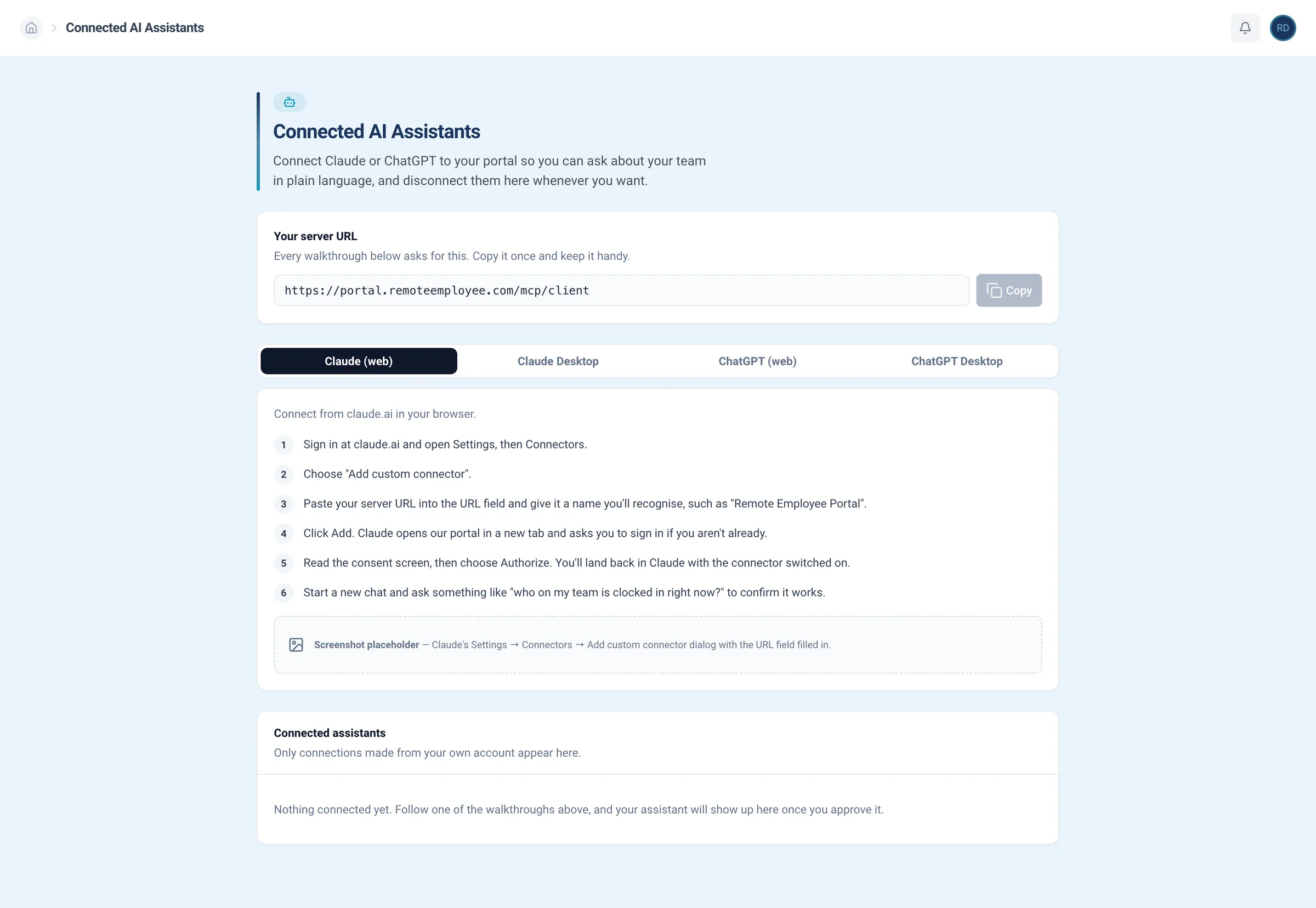
Connect Claude or ChatGPT to the RE Portal, and ask about your team, your shifts, or your SOPs in plain English.
Connect Claude or ChatGPT to your portal so you can ask about your team in plain language, and disconnect them here whenever you want.
The real RE Portal, from user settings to your AI chat. Underlined words move the lens, and a click shows any screen at full size.
I need a marketing assistant to support our coordinator. Can you draft the job description and send it to Remote Employee?
Drafted a requisition
Here's a draft. Anything off?
Looks good. Send it.
Raised the requisition
Done. Marketing Assistant is with the Remote Employee recruiting team for review. Nothing is public yet and no candidates have been contacted. Once it's approved and priced, screened candidates start coming through.
How's the marketing assistant role going? Who am I interviewing this week?
Checked your roles and interviews
Marketing Assistant is approved and recruiting. Three screened candidates are on your shortlist:
Yes, summarize Mia.
Pulled a candidate profile
Mia F. has three years in marketing support: social scheduling in Buffer, email campaigns in Klaviyo, and site edits in WordPress. Strong written English, and two recruiter notes on her file.
From here, the same login finds your next hire, tracks hours, and runs tasks. Explore it, book a demo, or connect your AI.
Set it up once through our MCP server, and Claude or ChatGPT can answer from your SOPs, your roster, and your access settings.
Works from Claude ChatGPT and any MCP-capable assistant
Set up the MCP serverTrusted by




















































Shared drives hold files. Chatbots don’t know your data. Access tools stop at logins. Workforce puts access, SOPs, and AI next to your team.
Access, knowledge, and AI in one place.
Files, without the answers.
Answers, without your data.
Logins, without the work.
Competitor costs are typical published ranges as of October 2026 (shared drives: Google Workspace, Dropbox; AI chatbots: ChatGPT Business, Claude Team; access tools: Okta). The RE Portal is free to use; hiring has a setup fee and a monthly fee.
Workforce
Every hire you make through us shows up here, ready for the access and SOPs you set, with an account manager who knows your goals.
Recruiting+Employment+HR+Payroll+IT=Remote Employee
Every person in your directory connects to the rest of the RE Portal, from the day you hire them to the work they finish.
Real quotes from managers using the RE Portal.
Open the RE Portal with your work email, or let us show you around. No sales call to look.
Add your team, set who sees what, and upload your first SOP in a few steps.
Access the RE Portal freeShare your SOPs with a recruiter, and we’ll screen for people who can follow them.
Talk to a recruiterAccess, the knowledge base, and your AI assistant, in the RE Portal.
It’s the Workforce part of the RE Portal: one directory of everyone on your team, with each person’s role, team, status, and access.
Your SOPs live in the same place as a knowledge base, and your AI assistant can answer from them.
No. Access, the knowledge base, and AI connections come with the RE Portal at no extra cost. Hiring through Remote Employee® has a setup fee and a monthly fee.
You decide. Set access per person and per position, and each manager sees only their own team’s roster. Change it or switch it off anytime.
Your SOPs and process docs. Upload them once, remove them anytime, and your team gets answers that point back to the source.
Claude and ChatGPT, plus any MCP-capable assistant, through our MCP server. You can disconnect anytime.
Yes. Answers come from the documents you upload and cite where they came from, so your team can check the source.
Yes. Switch access off from one place whenever you need to, the same as you would for any in-house hire.
No. It’s where you manage access, SOPs, and AI answers for the people you hire through us. Their payroll, benefits, and contracts stay with Remote Employee® as the employer.
Sign up with your work email, then add your managers and upload your first SOP. Your hires appear in the directory once they start.