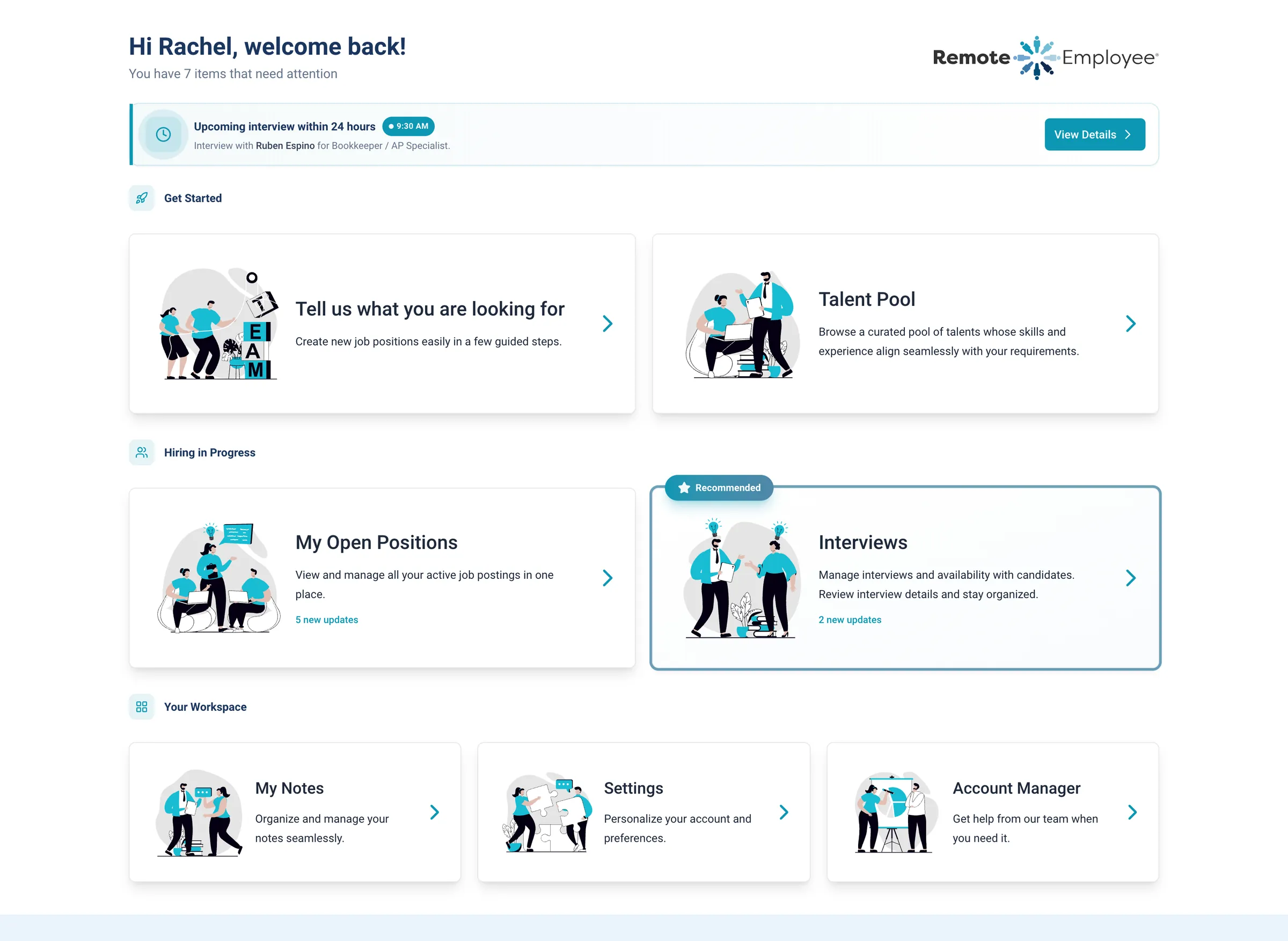
Your home screen
Start each day here: an interview within 24 hours, open roles, and the talent pool, on one screen.
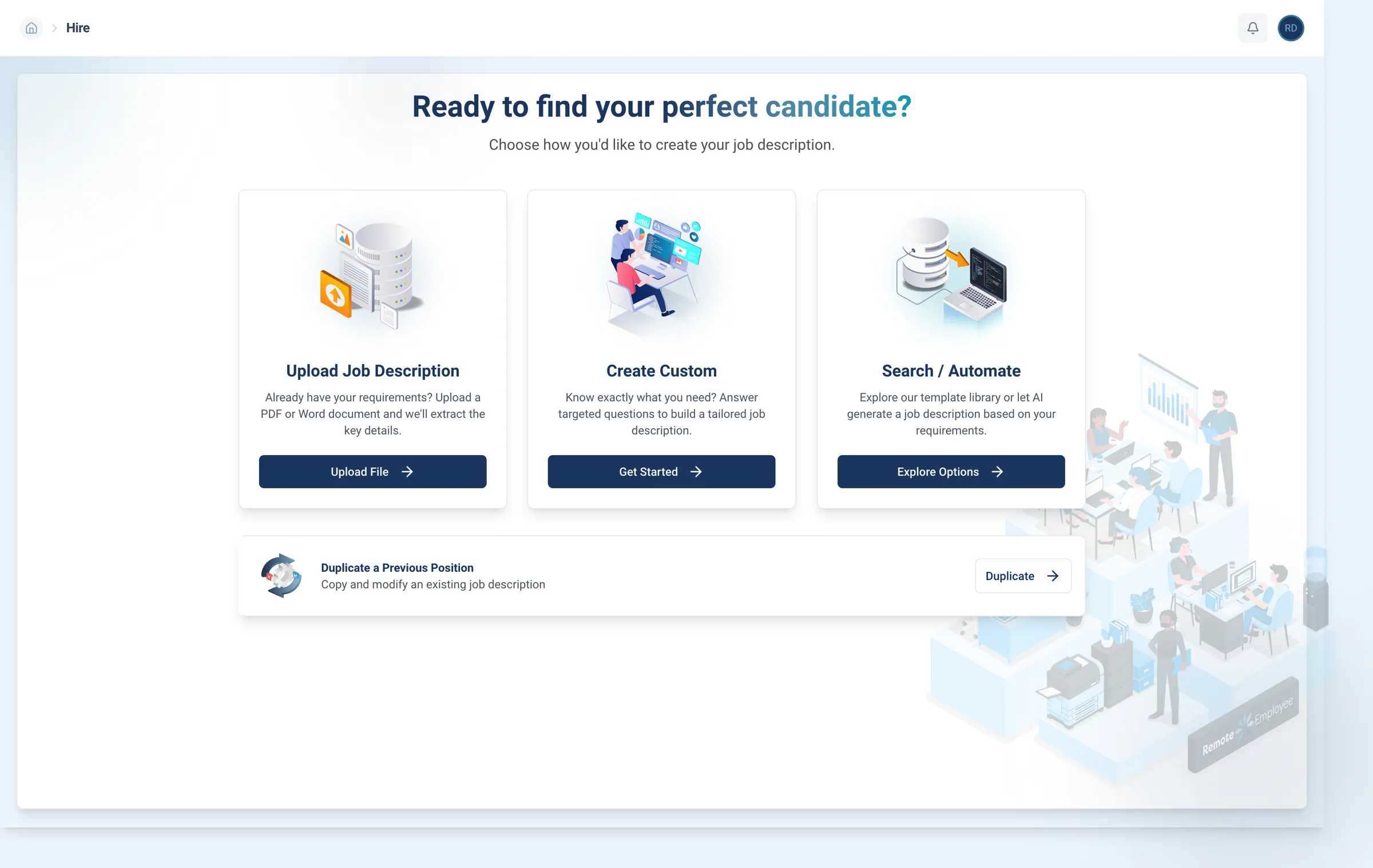
Start a hire
Choose how you post: upload the job description, paste it in, answer a few questions, or start from a template.
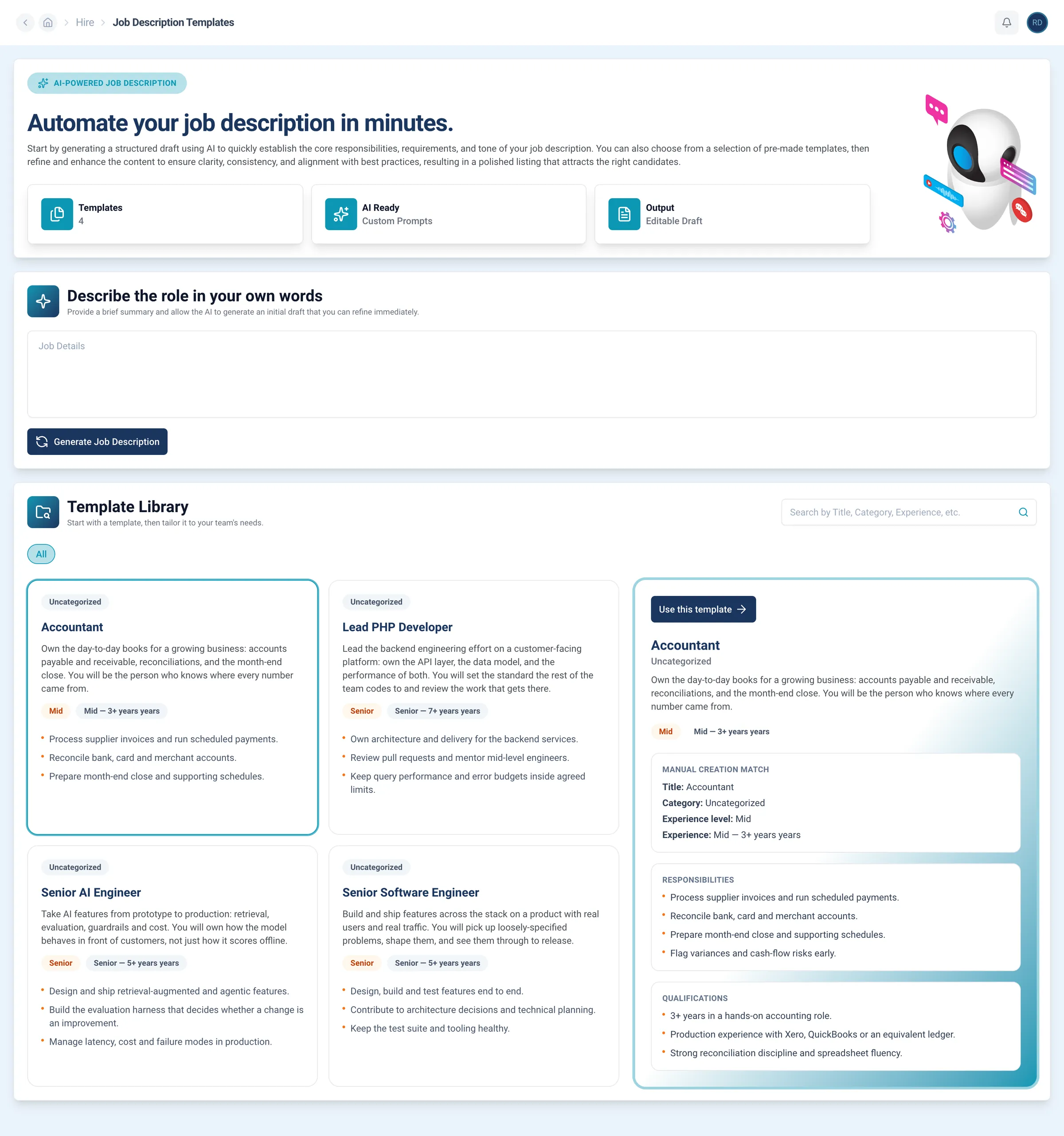
Draft the job description
Describe the work in plain words, and the portal drafts the posting. You make the edits before it goes live.
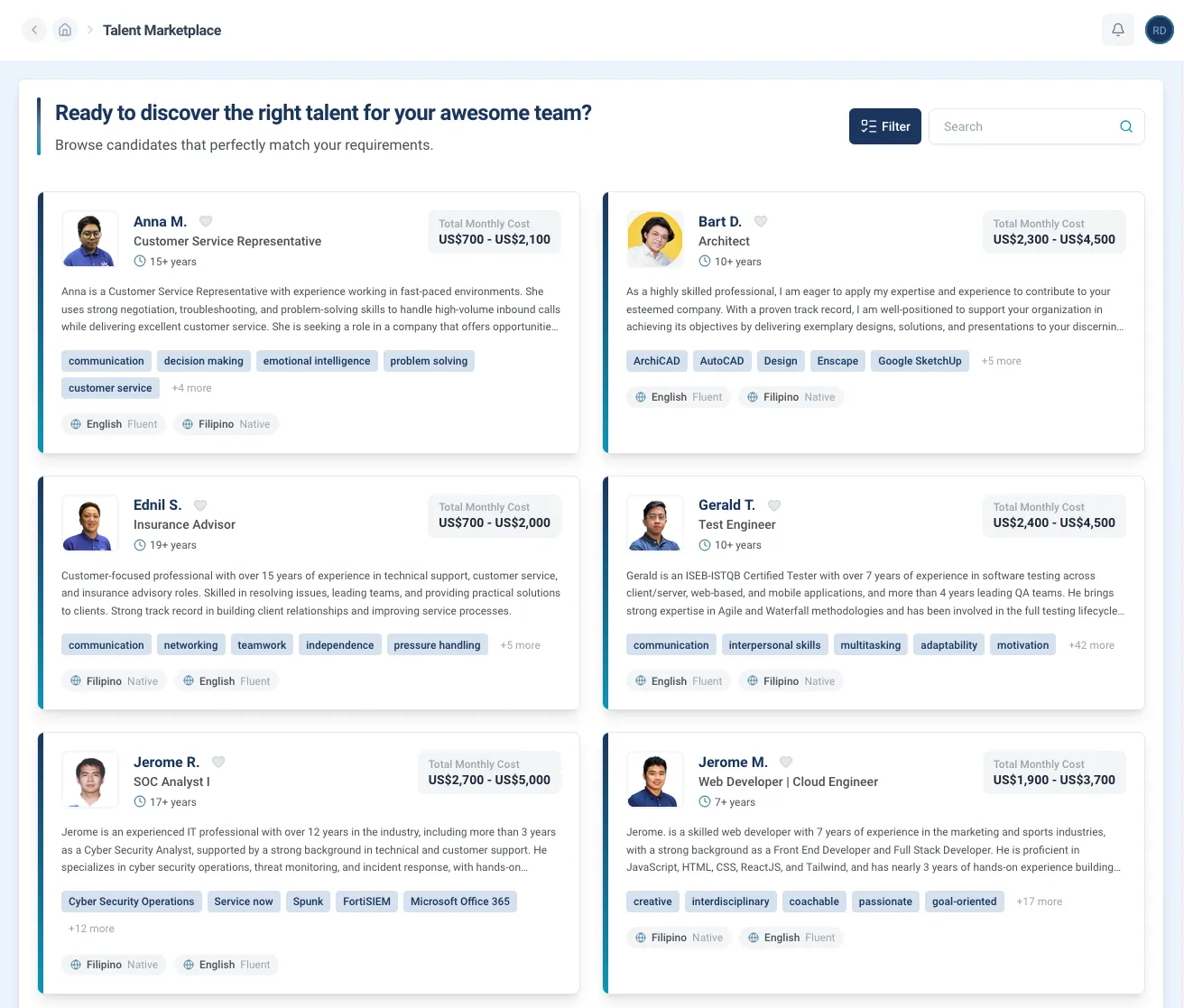
Talent marketplace
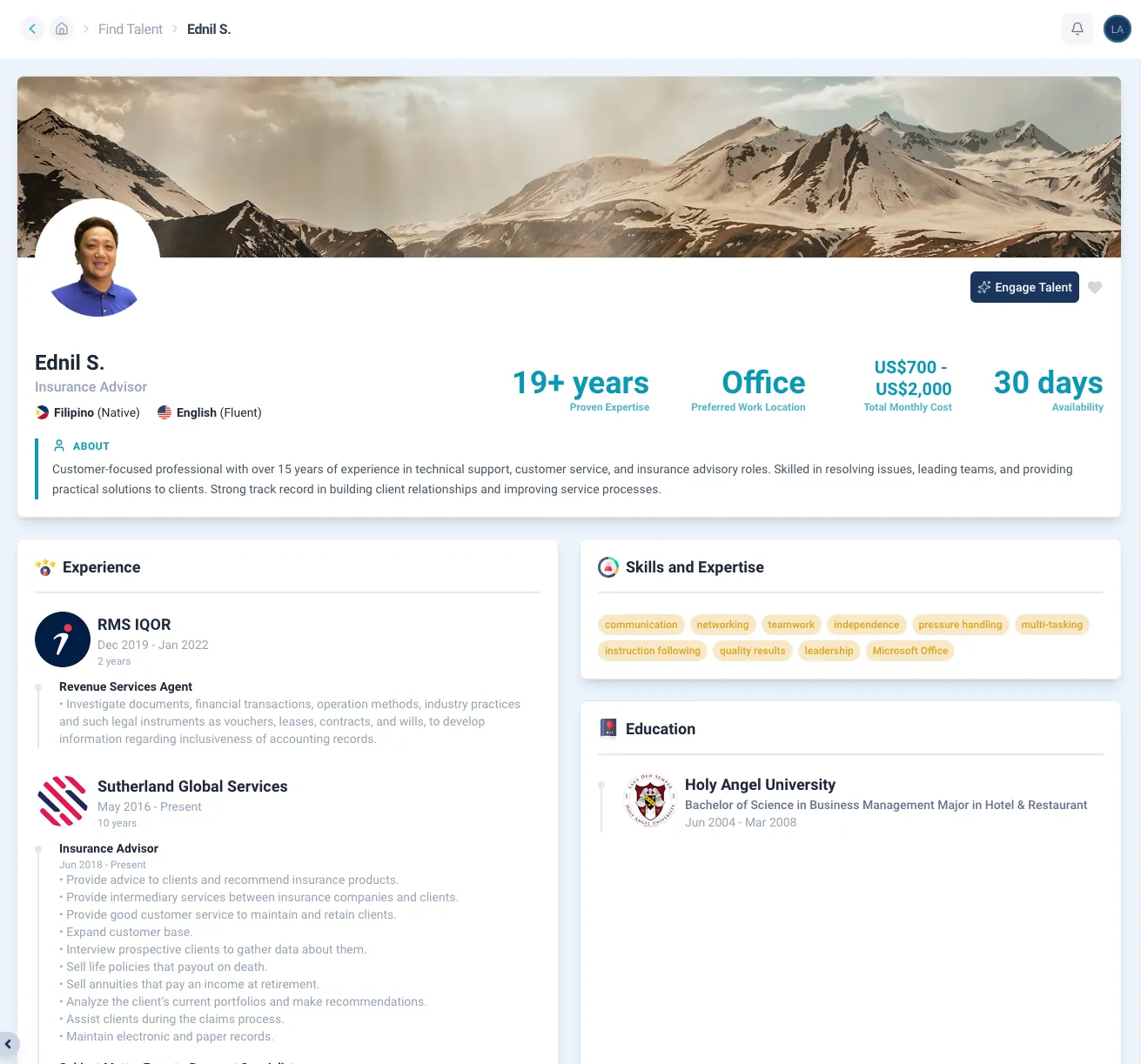
Compare candidates on qualifications, skills, languages, and years of experience, with a monthly cost range on each card.
Candidate profile
Open any card for their full work history, the tools they use, and what job they are looking for.
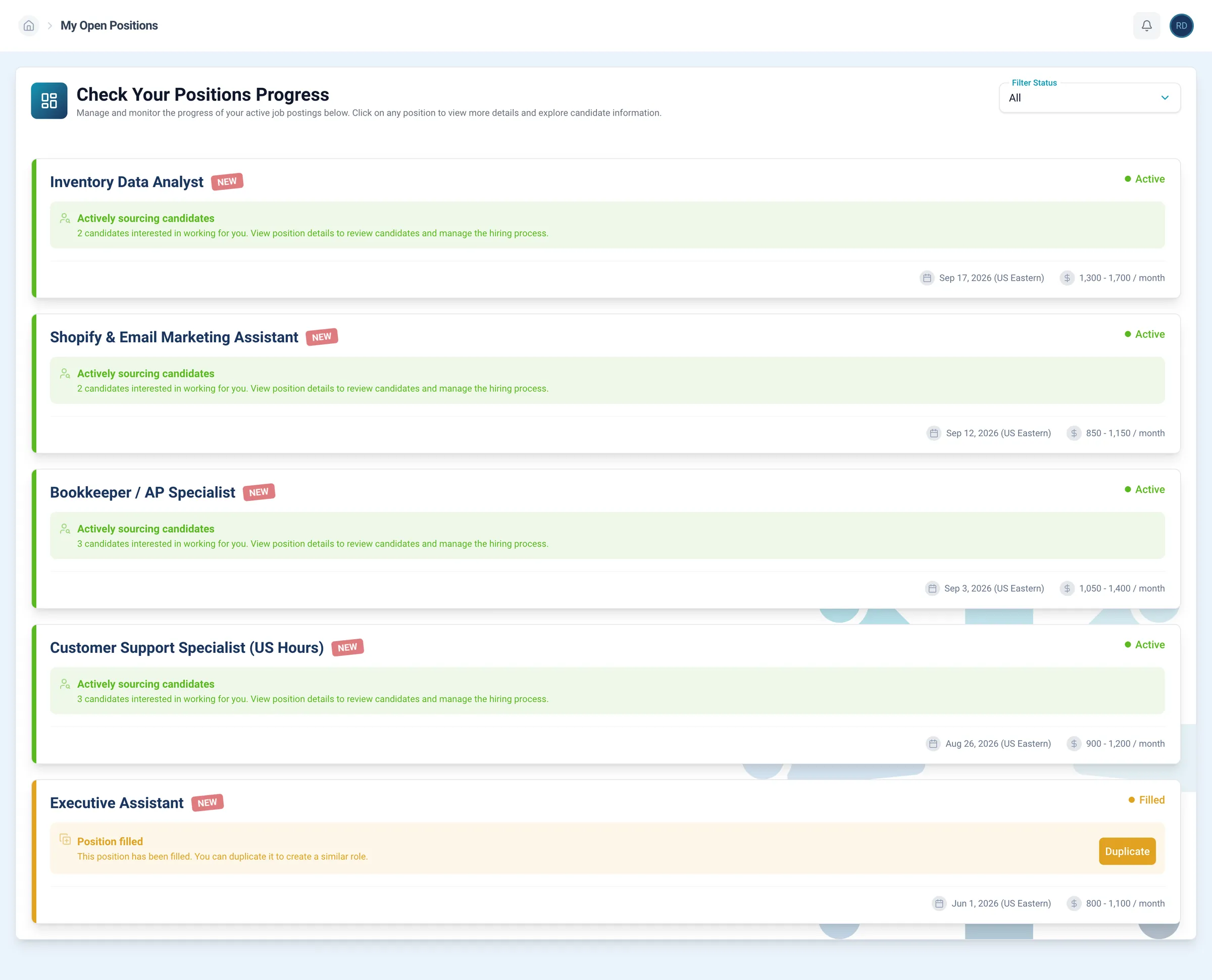
Open positions
Track each posting: its status, how many candidates are interested, and the estimated monthly cost for this position.
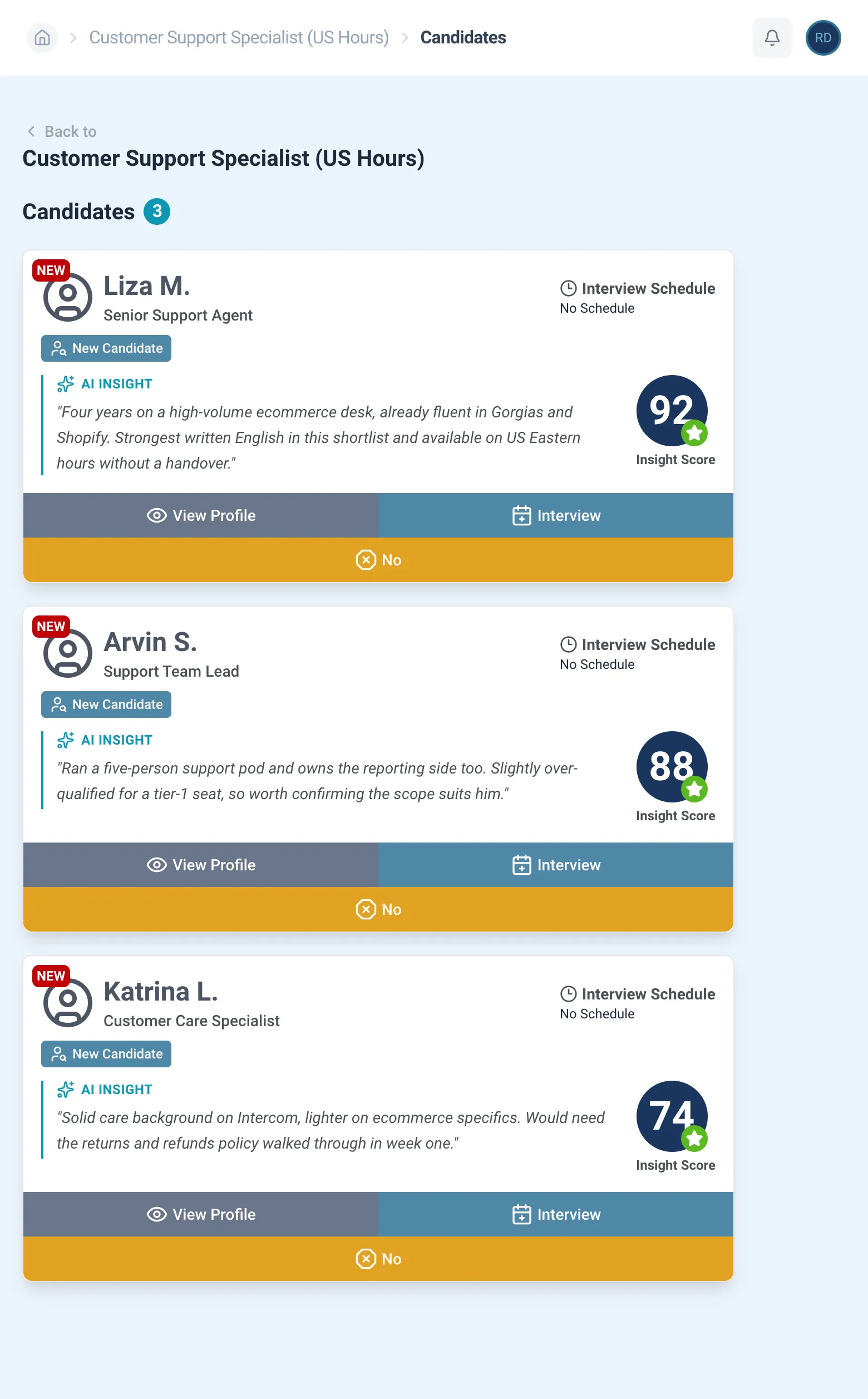
Your shortlist
Screened candidates for the role land here, each with an insight score and an AI insight on why they fit.
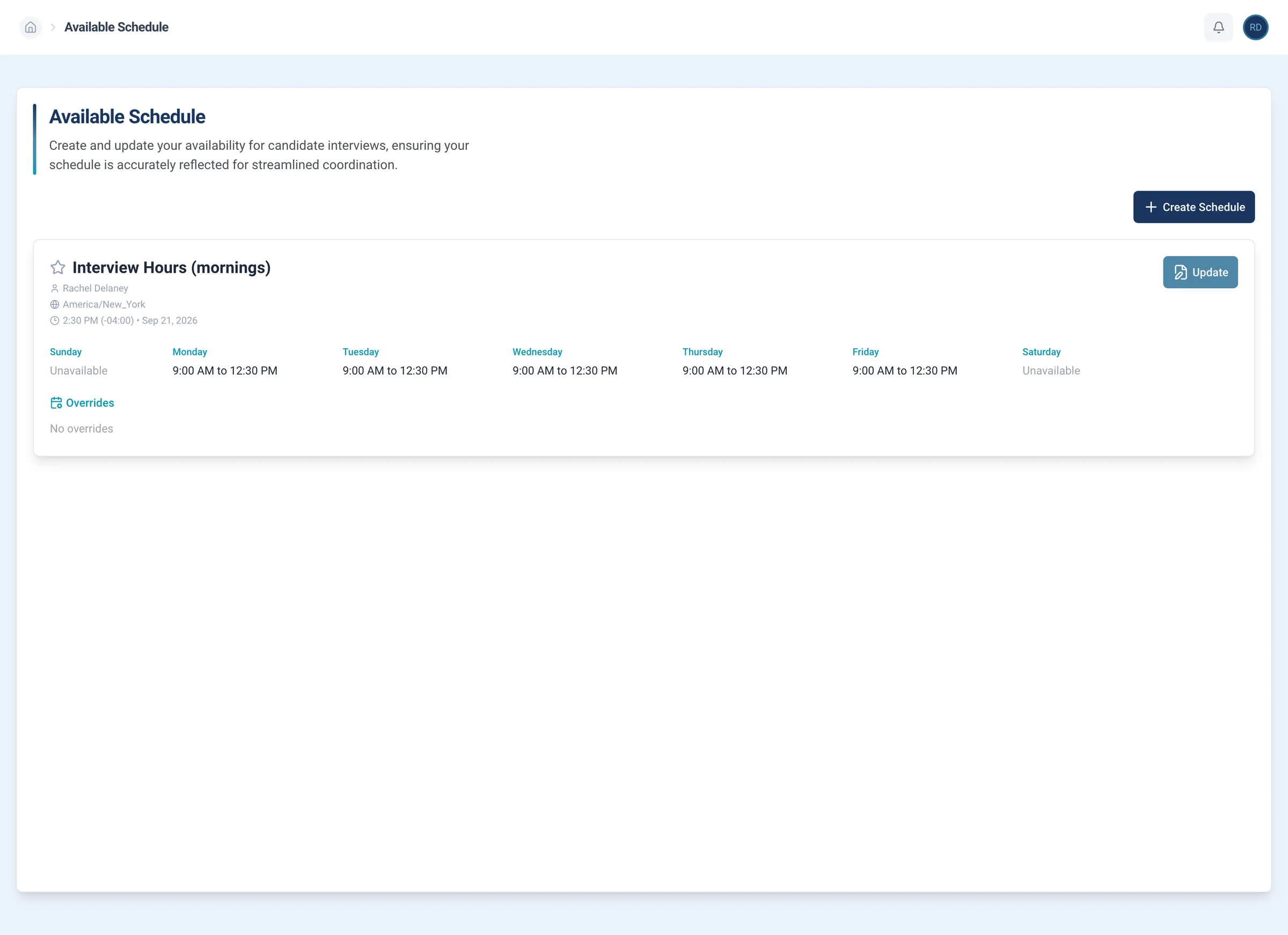
Your interview hours
Choose the interview hours that work for you, in your time zone, and every booking lands inside them.
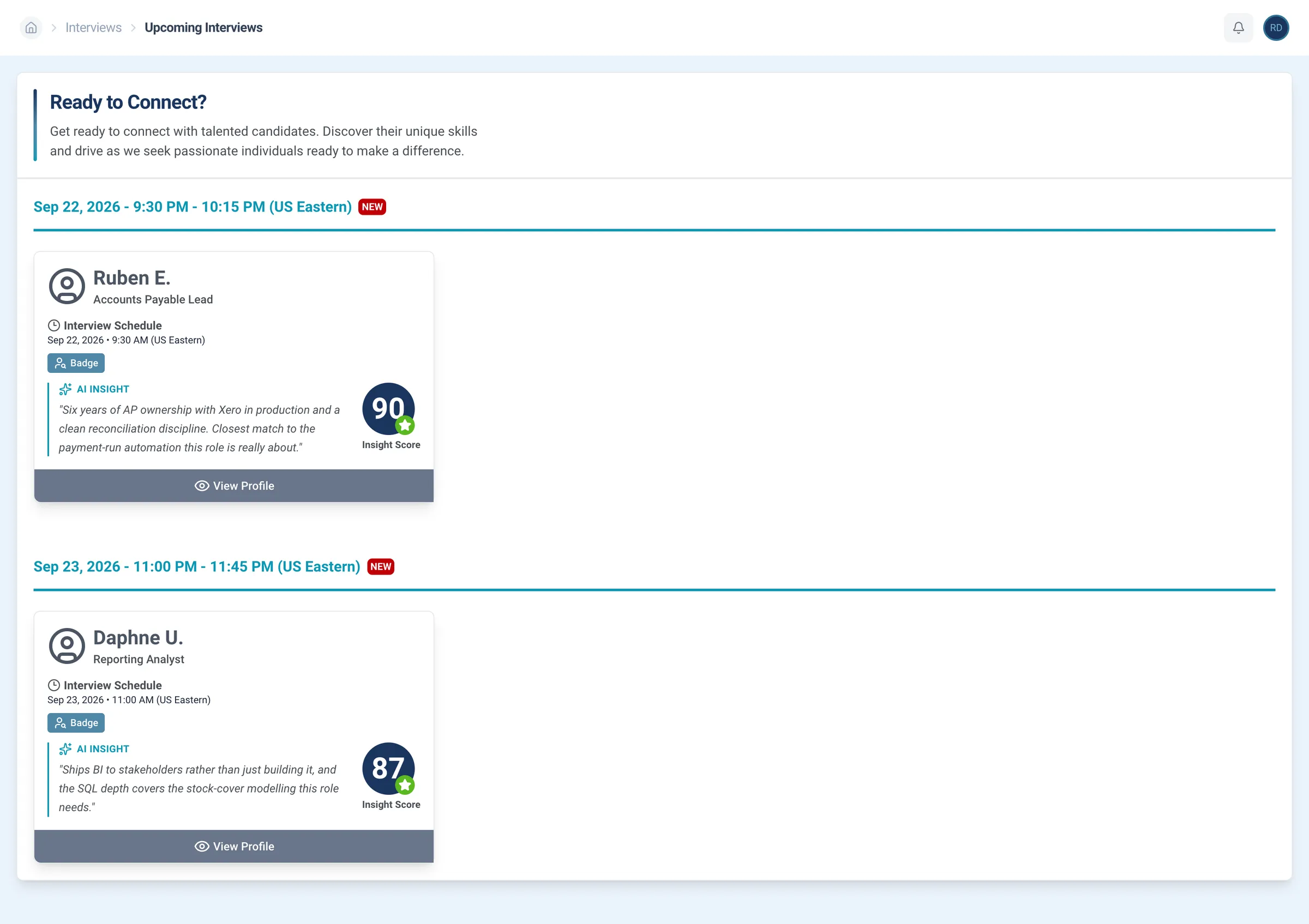
Upcoming interviews
Every booked interview in one list, with its candidate, date, and time.
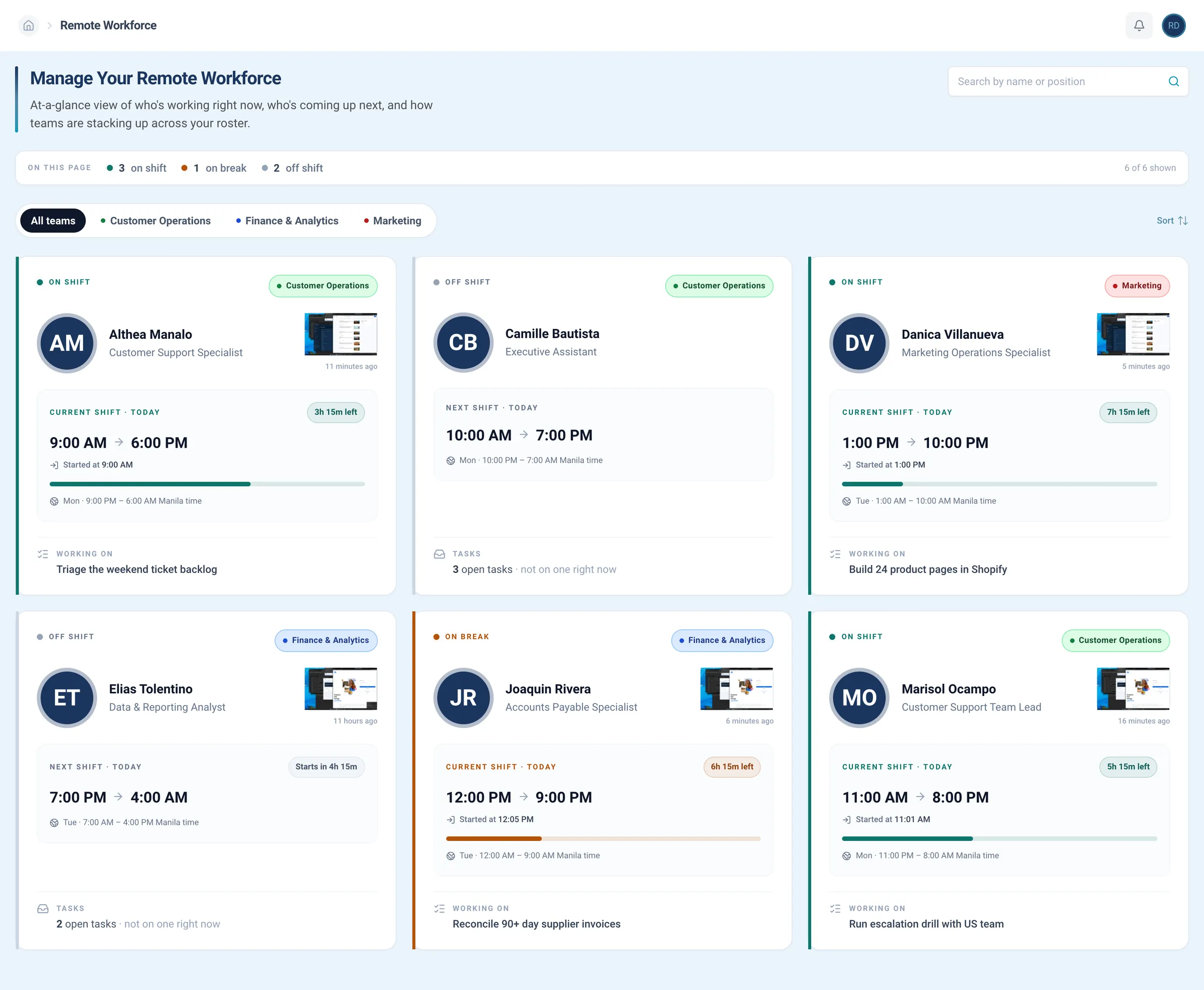
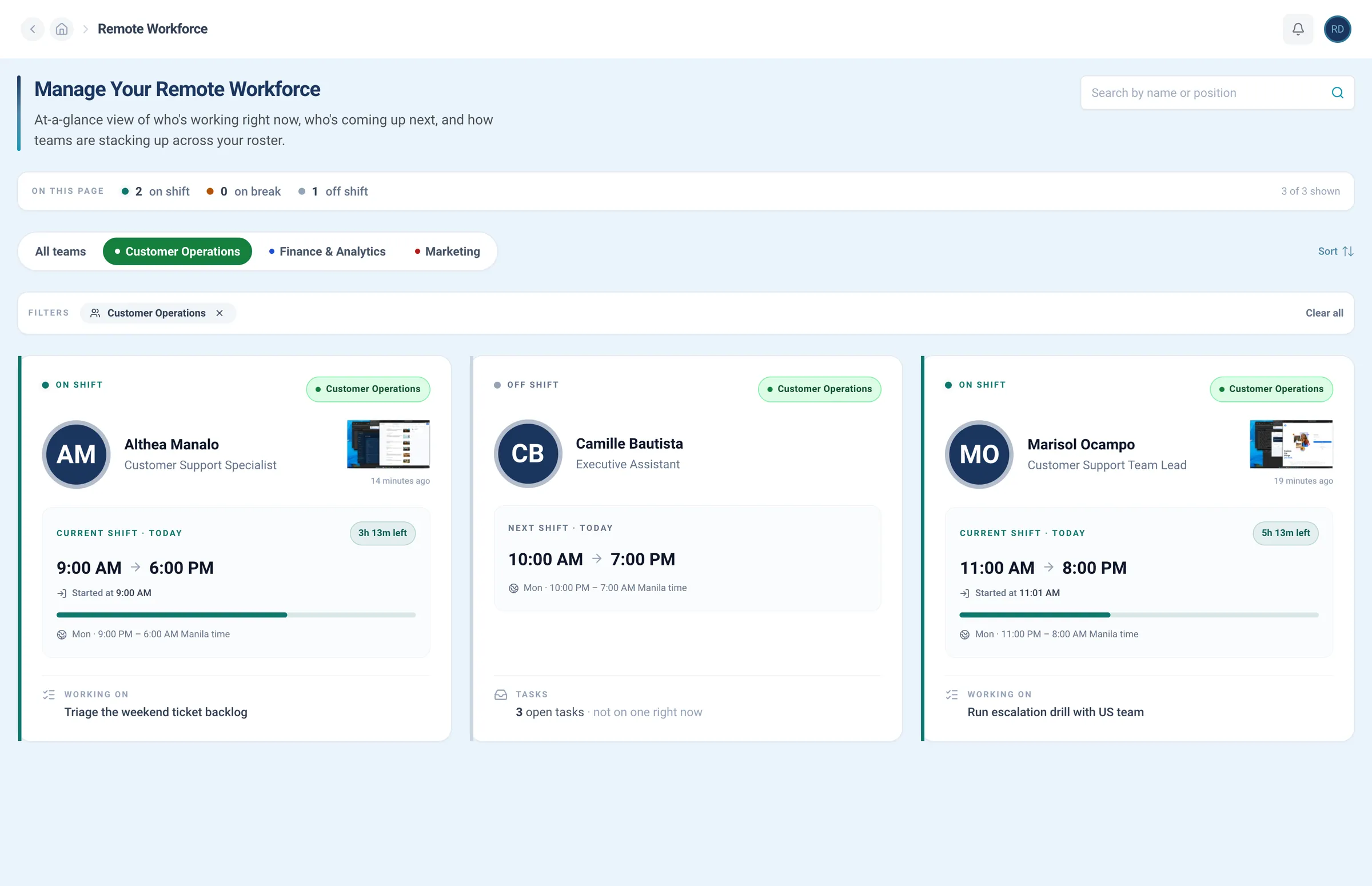
Team roster
Know who’s on shift right now, in your hours, and what each person is working on.
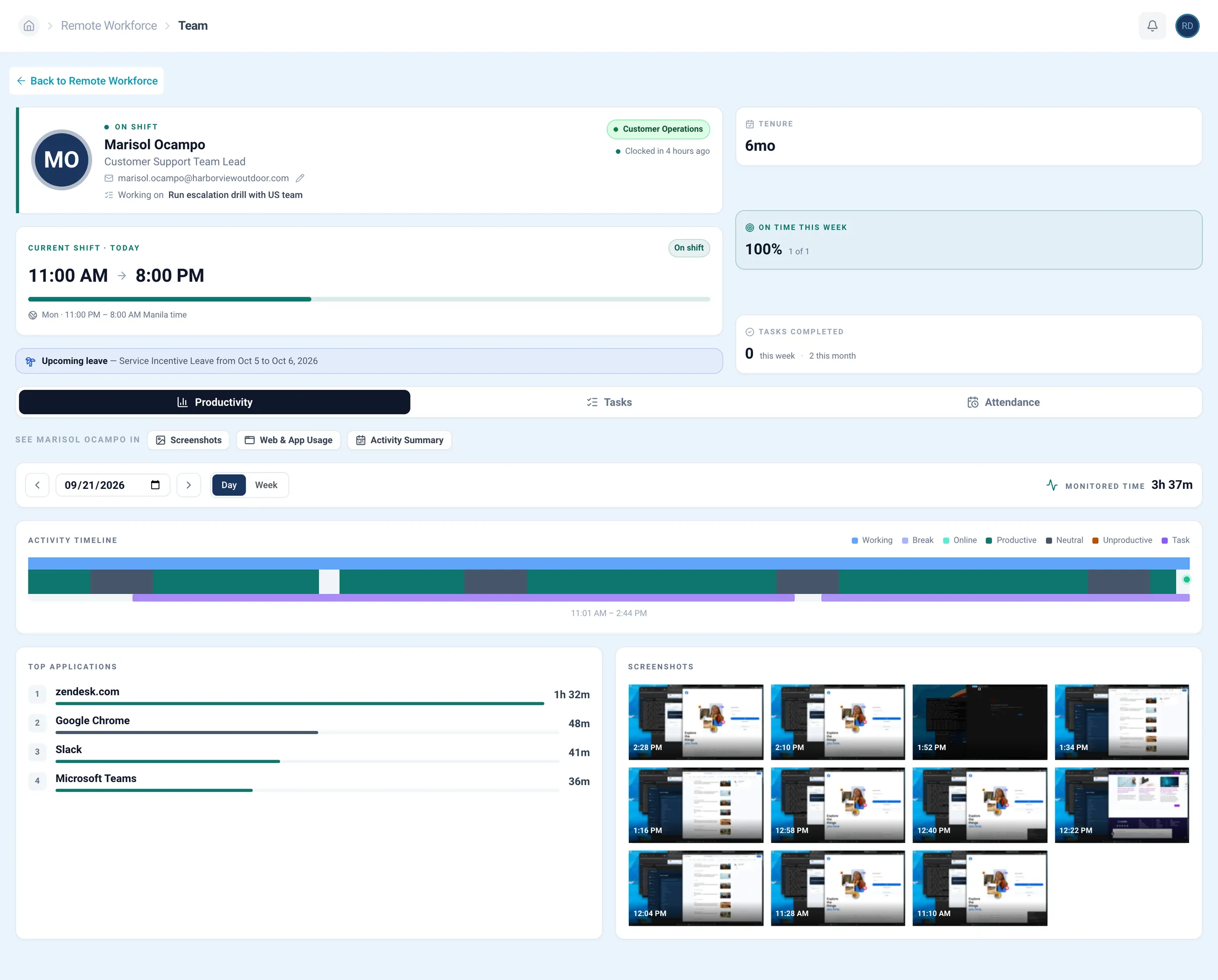
One person, one page
Open any employee for their shift, tenure, tasks completed, productivity, and attendance.
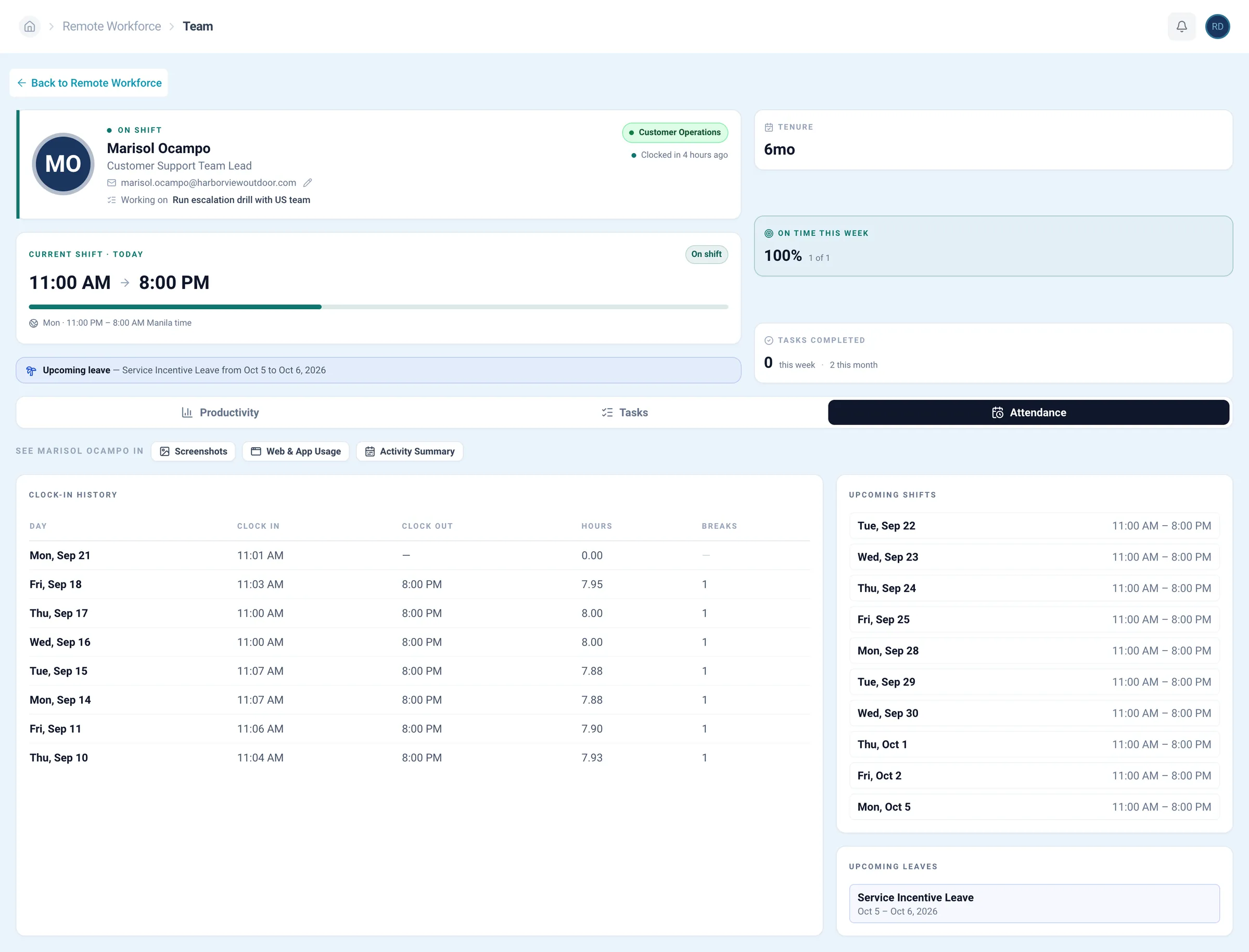
Attendance
Clock-in history, today's shift in progress, upcoming shifts, and leave, all on one page.
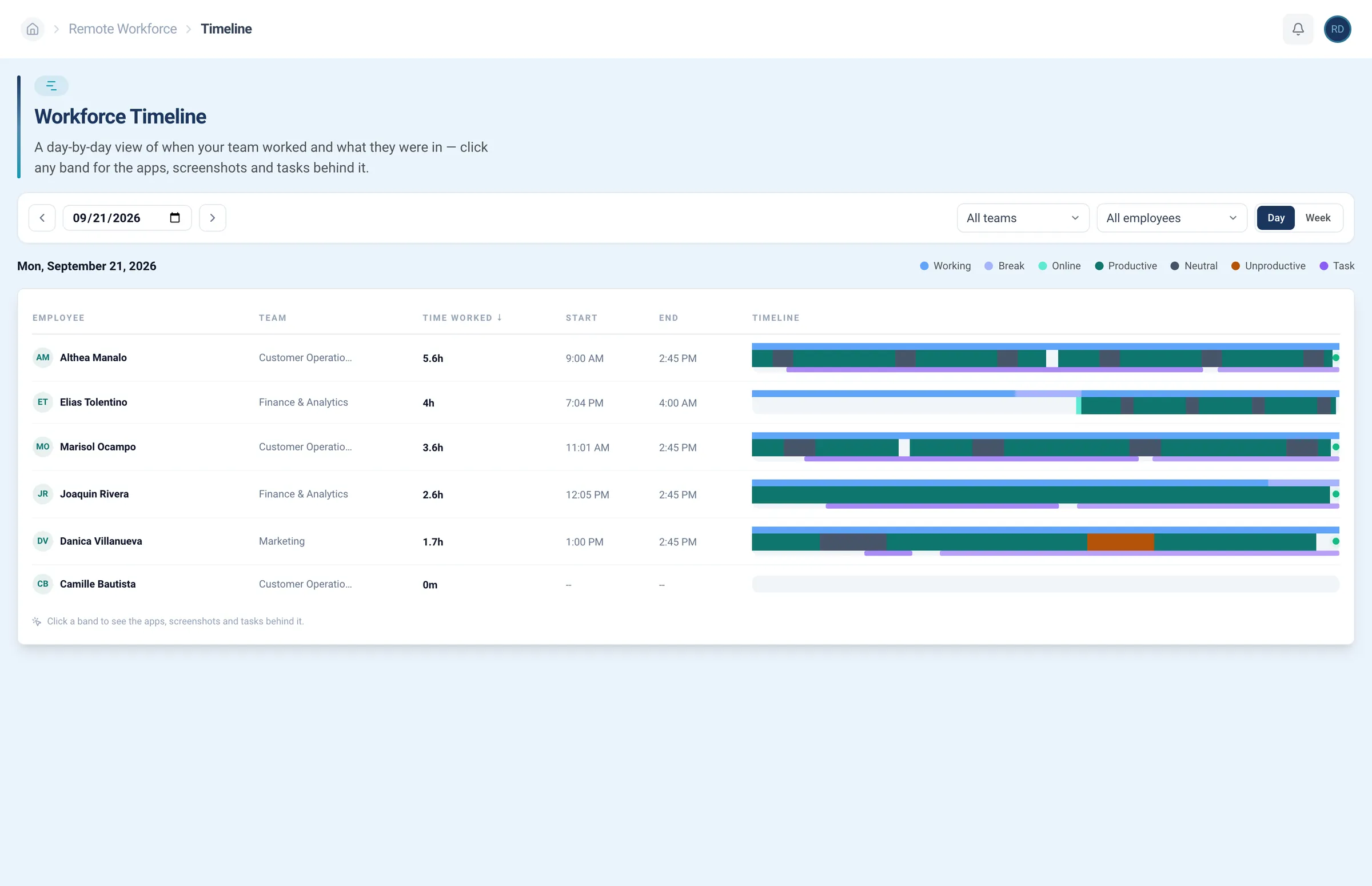
Time tracker
Hours tracked per day, shown on a timeline you can read at a glance.
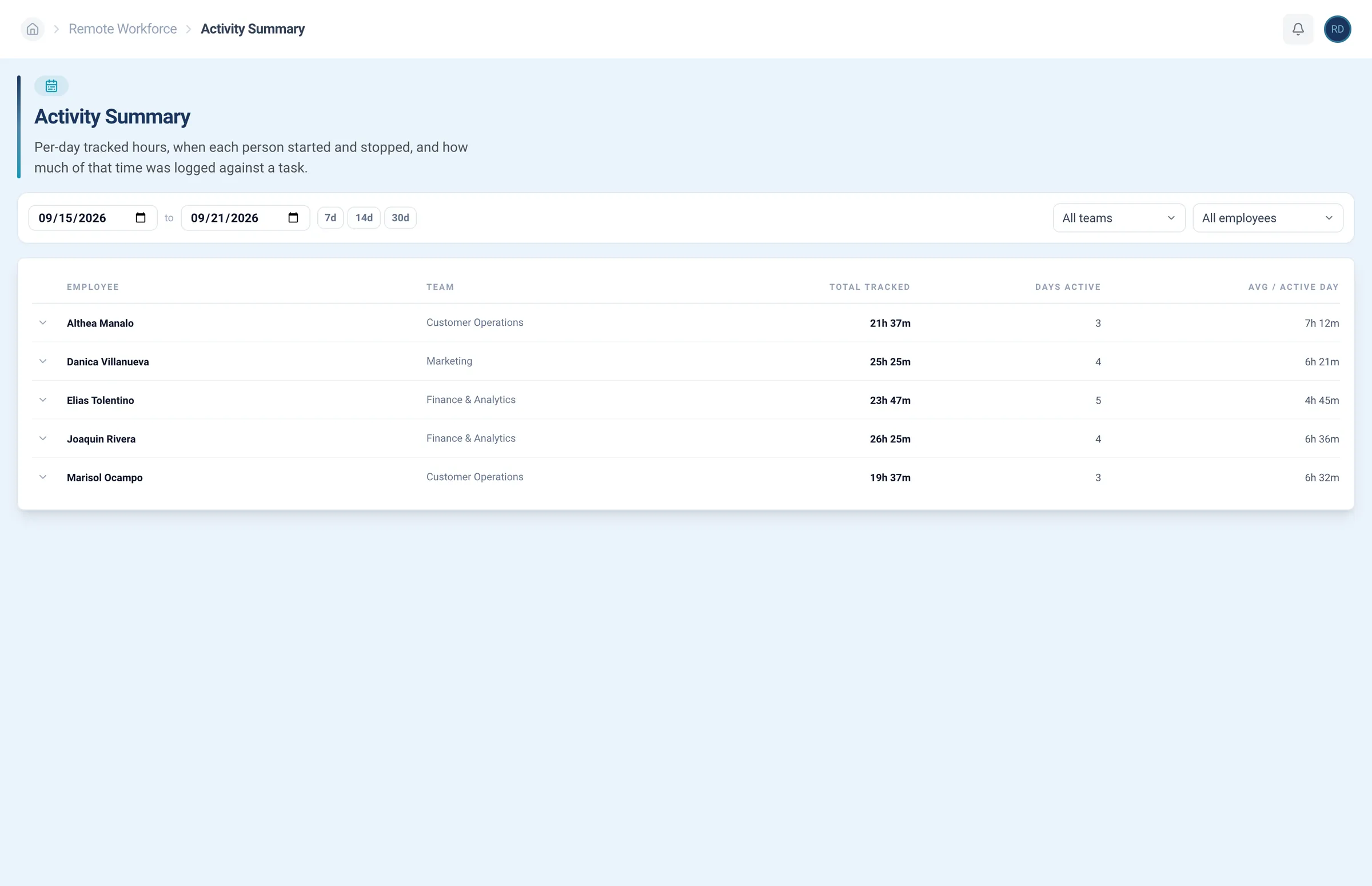
Activity summary
Access hours tracked per day, plus when each person started and stopped and what went against each task.
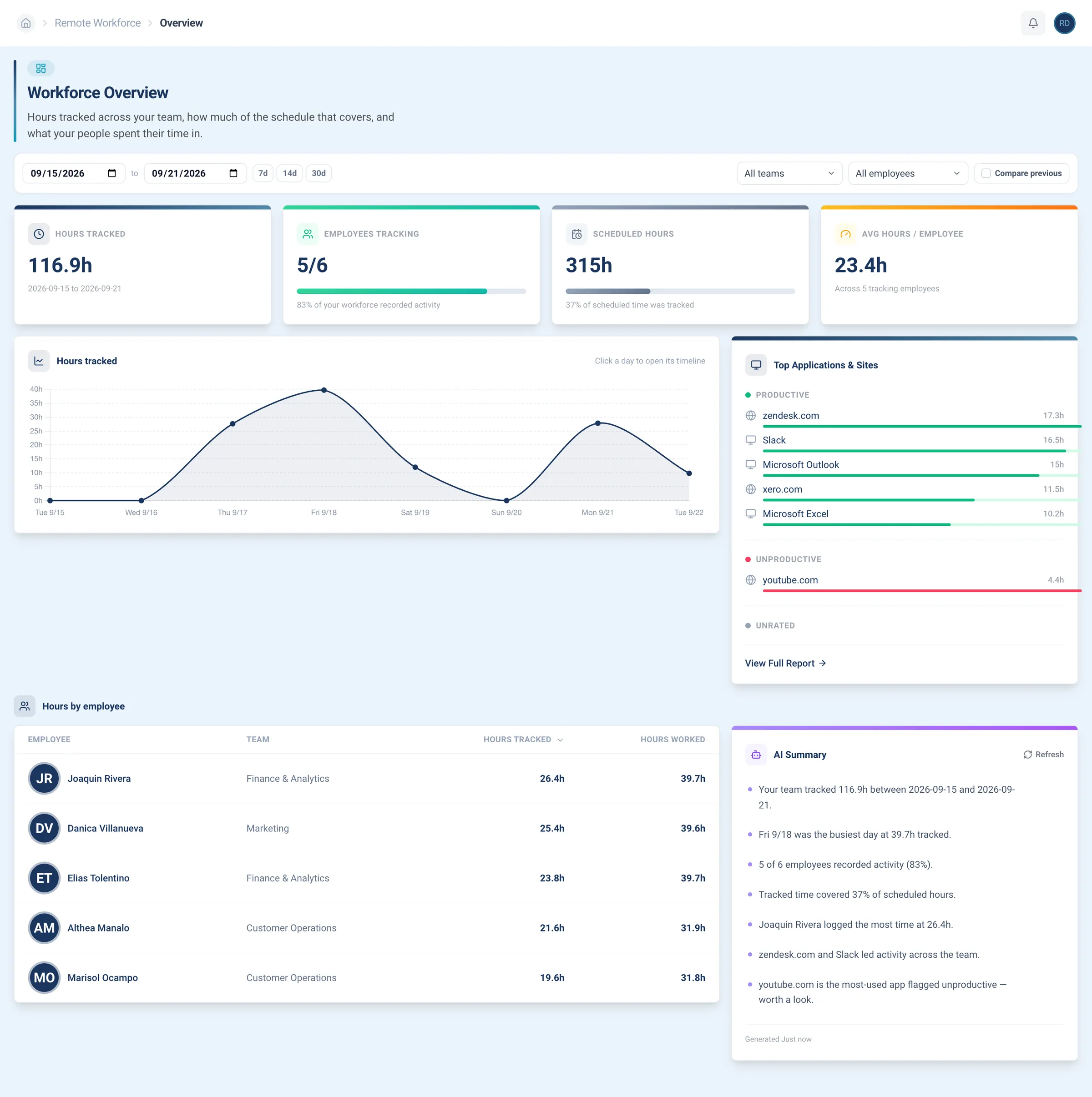
Productivity overview
Hours tracked across the team, next to how much of the schedule that covers and the applications the time went into.
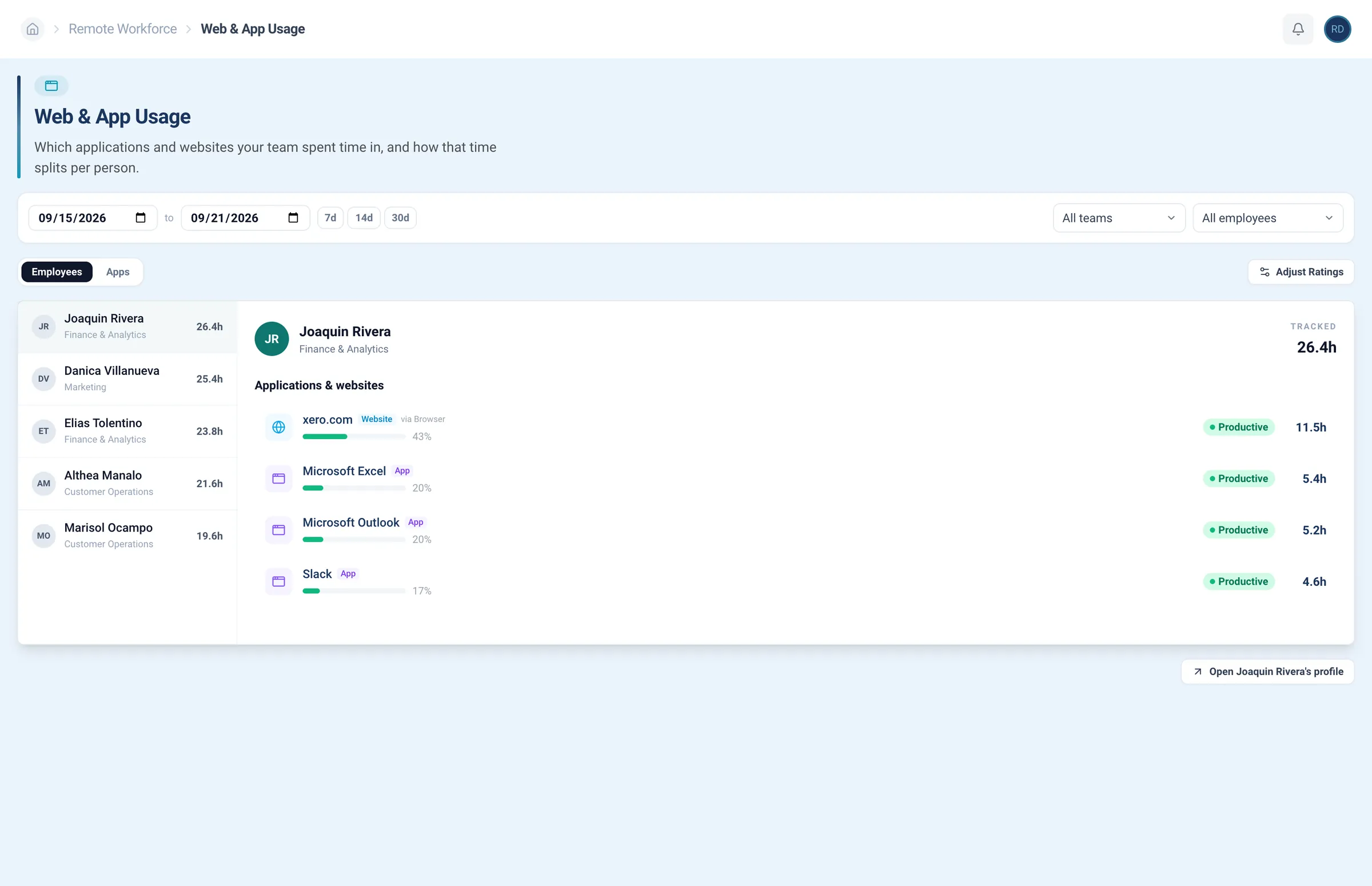
Web and app usage
Find the applications and websites behind the hours, per person, scored with your own productive ratings.
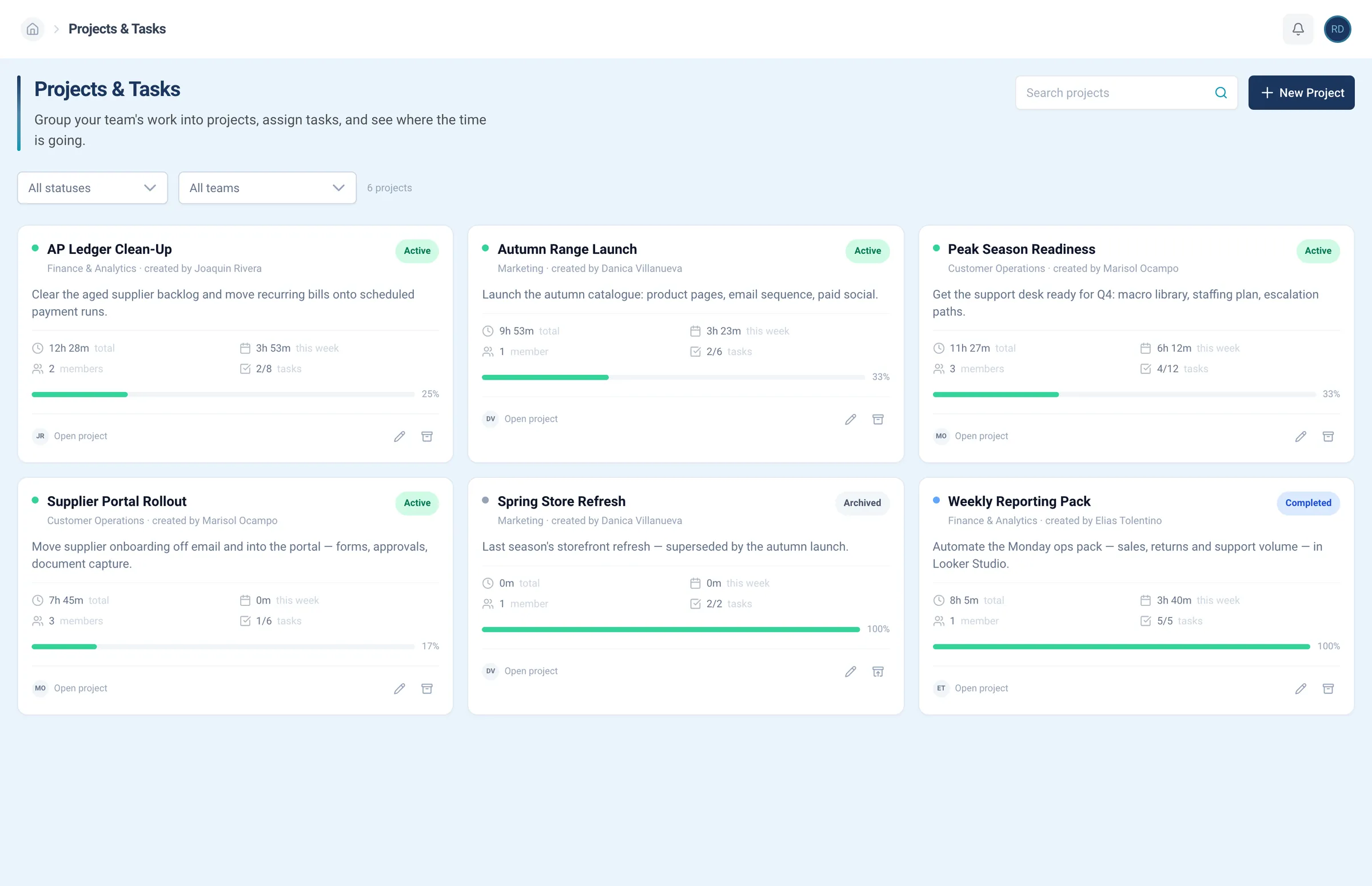
Projects
Organize the work as projects, each showing its members, tasks, and the time spent.
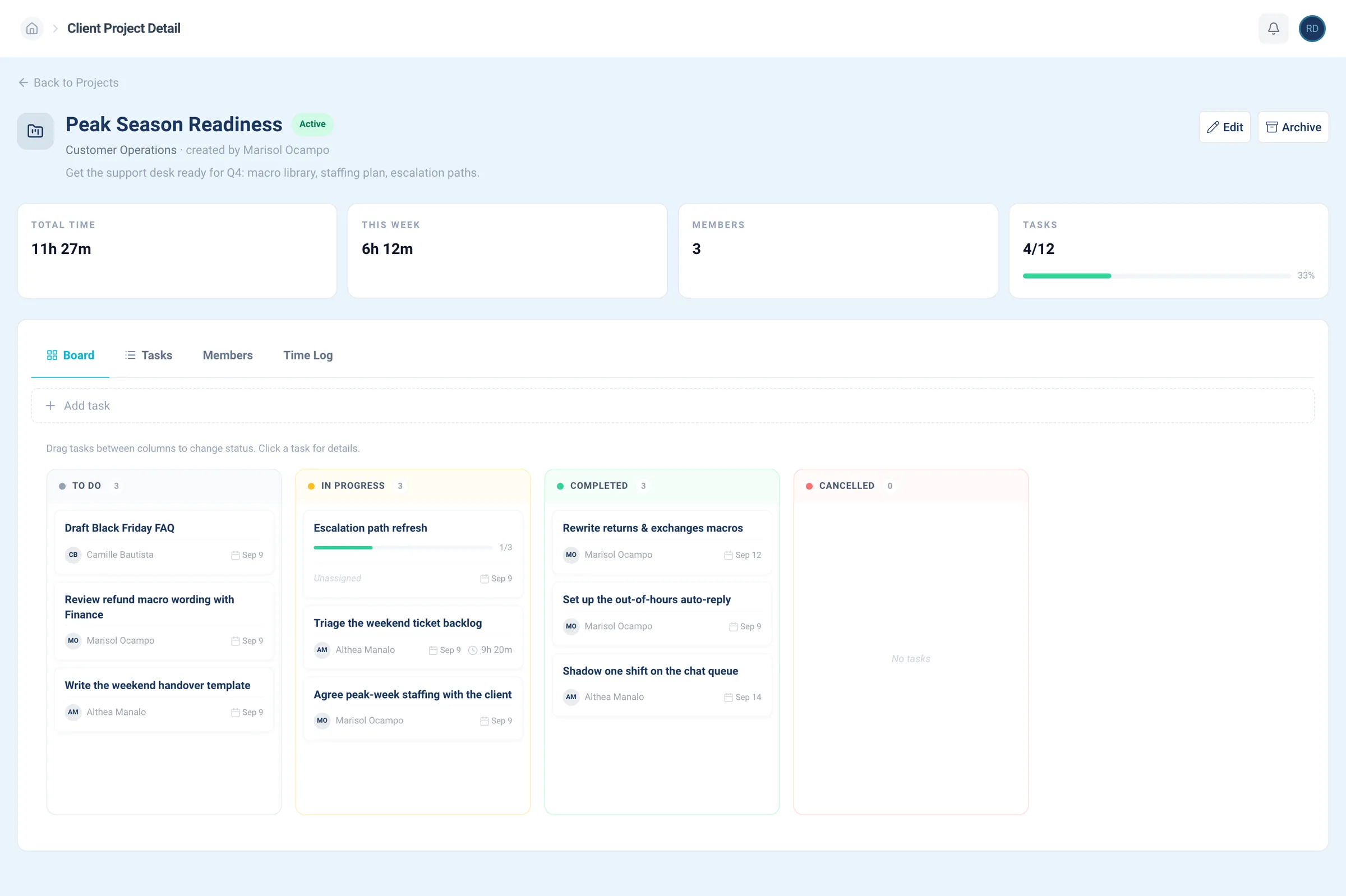
Task board
Assign tasks, move them across the board, and know what is in progress.
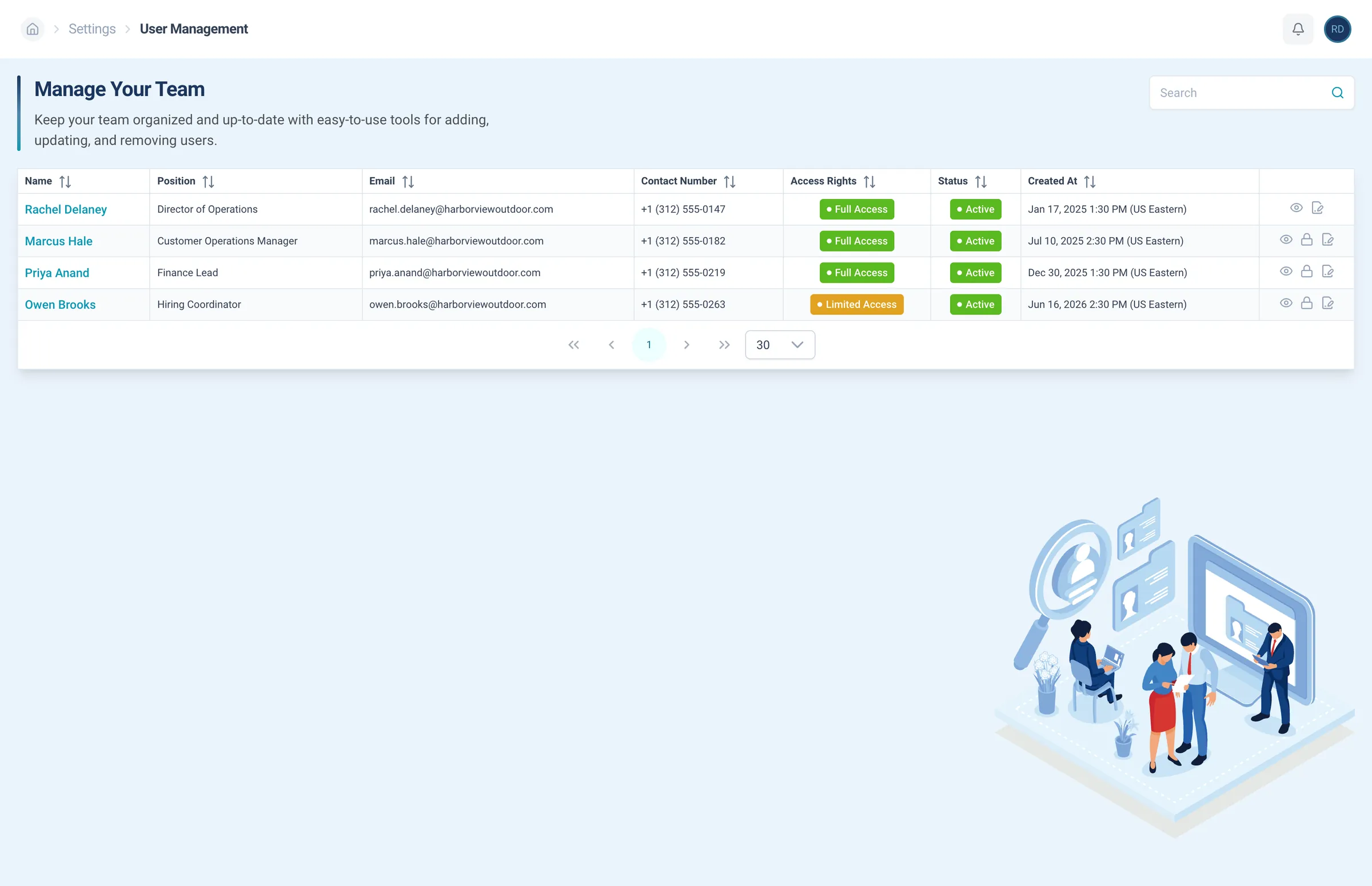
User management
Add people from your side, with their role, team, and status.
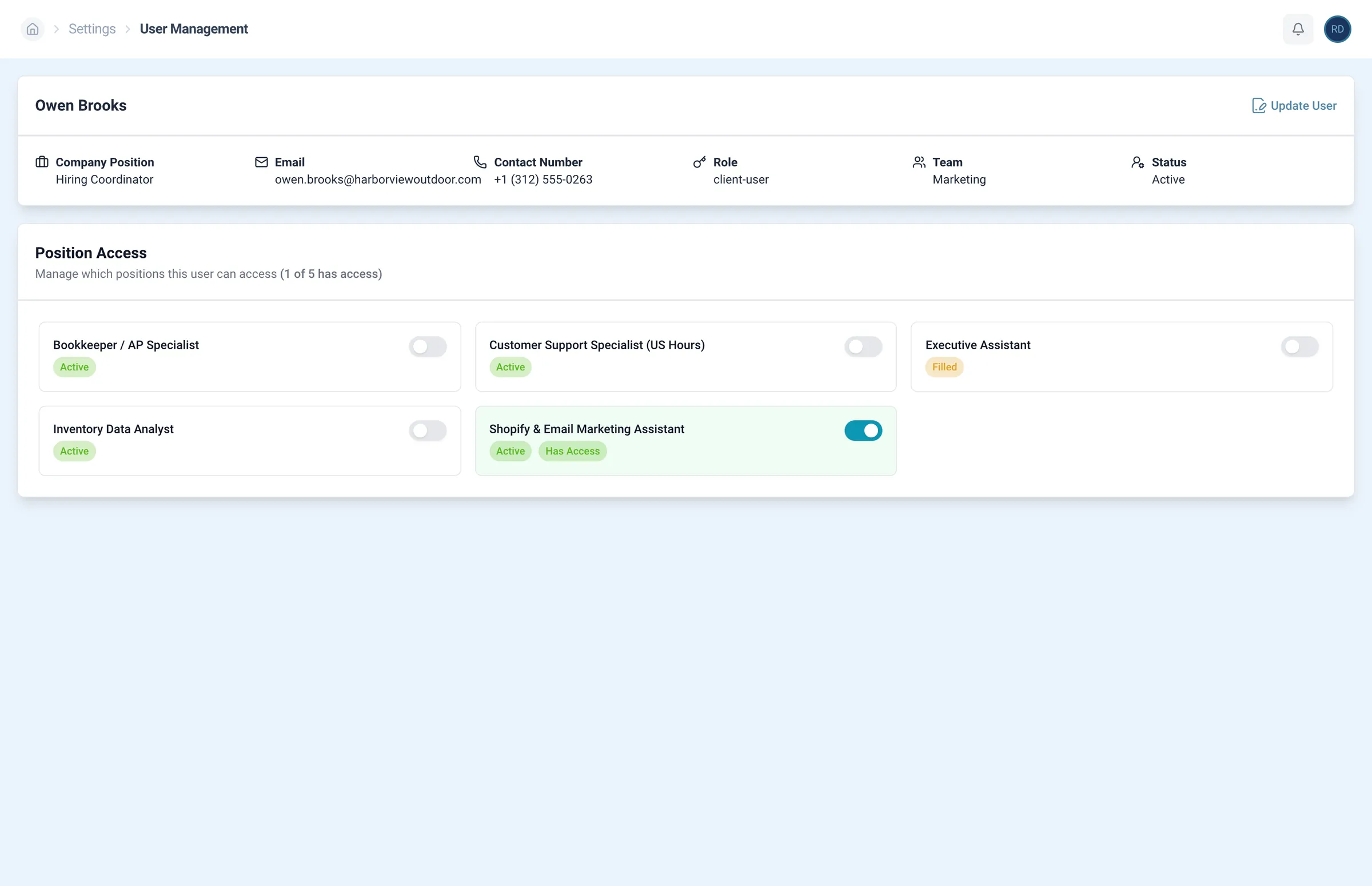
Position access
Choose which positions each of your users can open and manage.
Team-scoped views
Managers open their own team’s roster, not everyone’s.
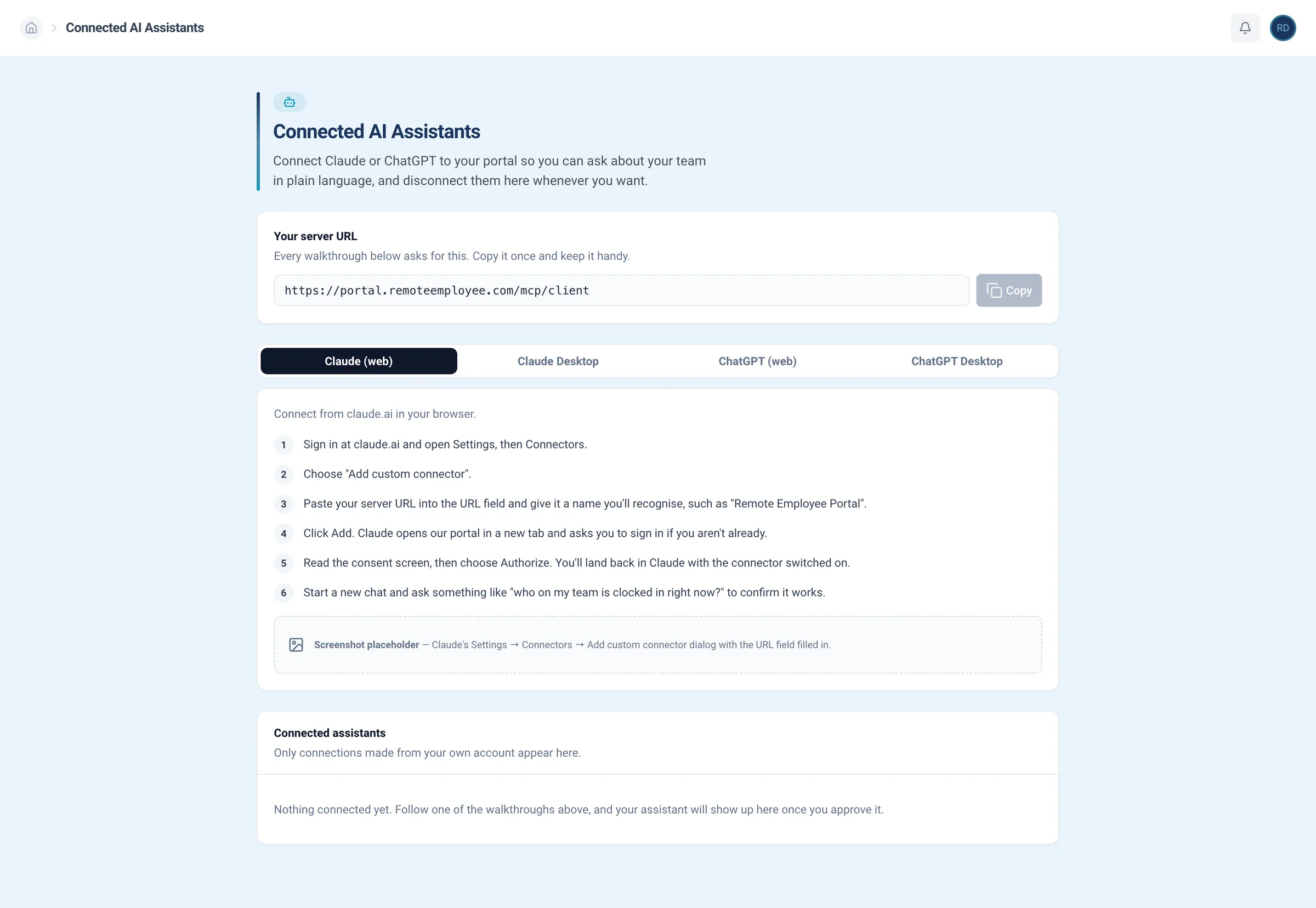
Connected assistants
Connect Claude or ChatGPT through our MCP server, then ask about your team in plain language. Disconnect whenever you want.
Request a hire
Describe the role in a sentence. Your assistant drafts the job description and, when you approve, sends it to our recruiters.
Check on it
Ask how a role is going, who made your shortlist, and when your interviews are. Answers come straight from your portal.
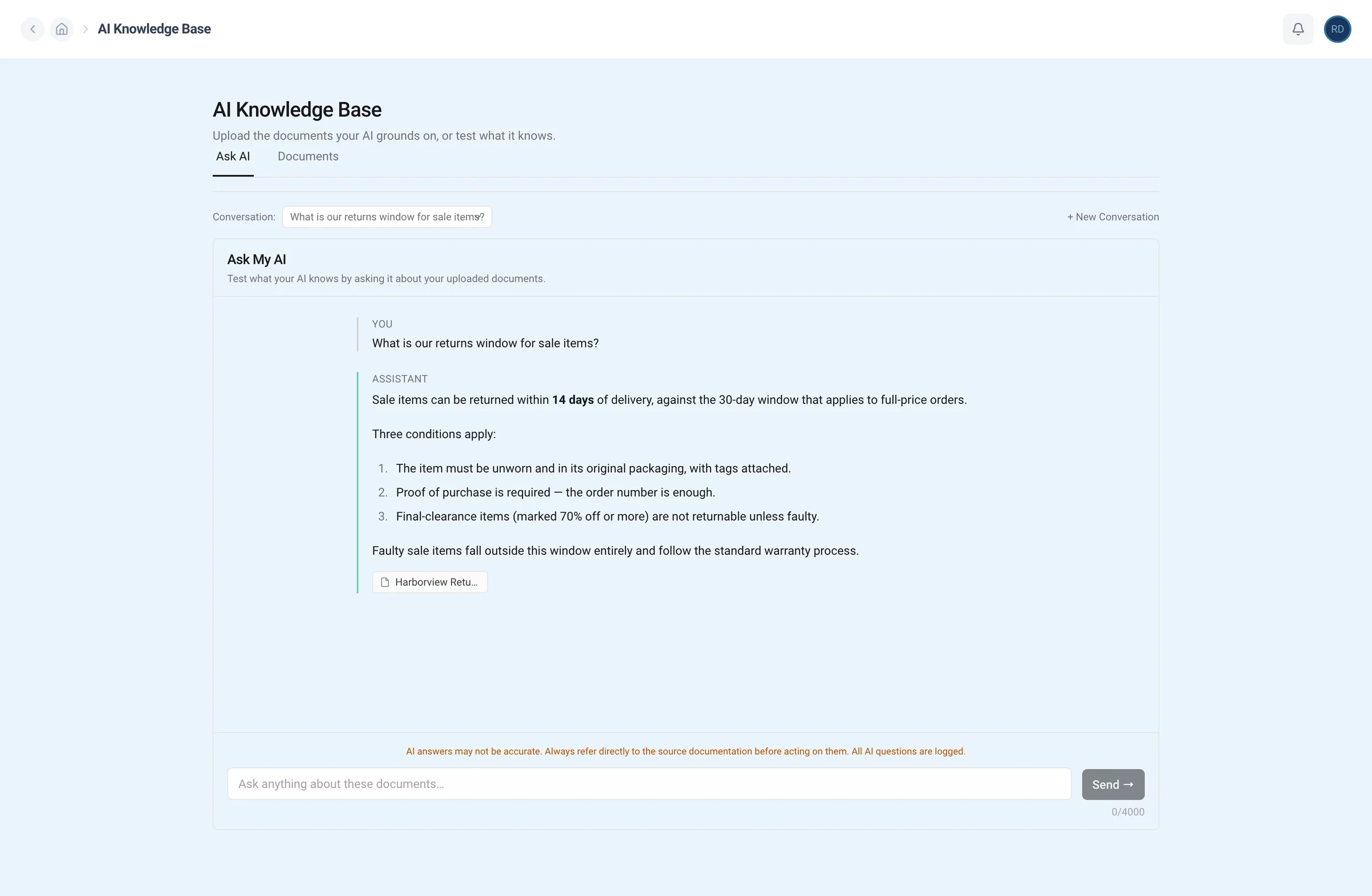
Your team's knowledge base
Your team can get the information they need without pinging you. Every answer cites its source.
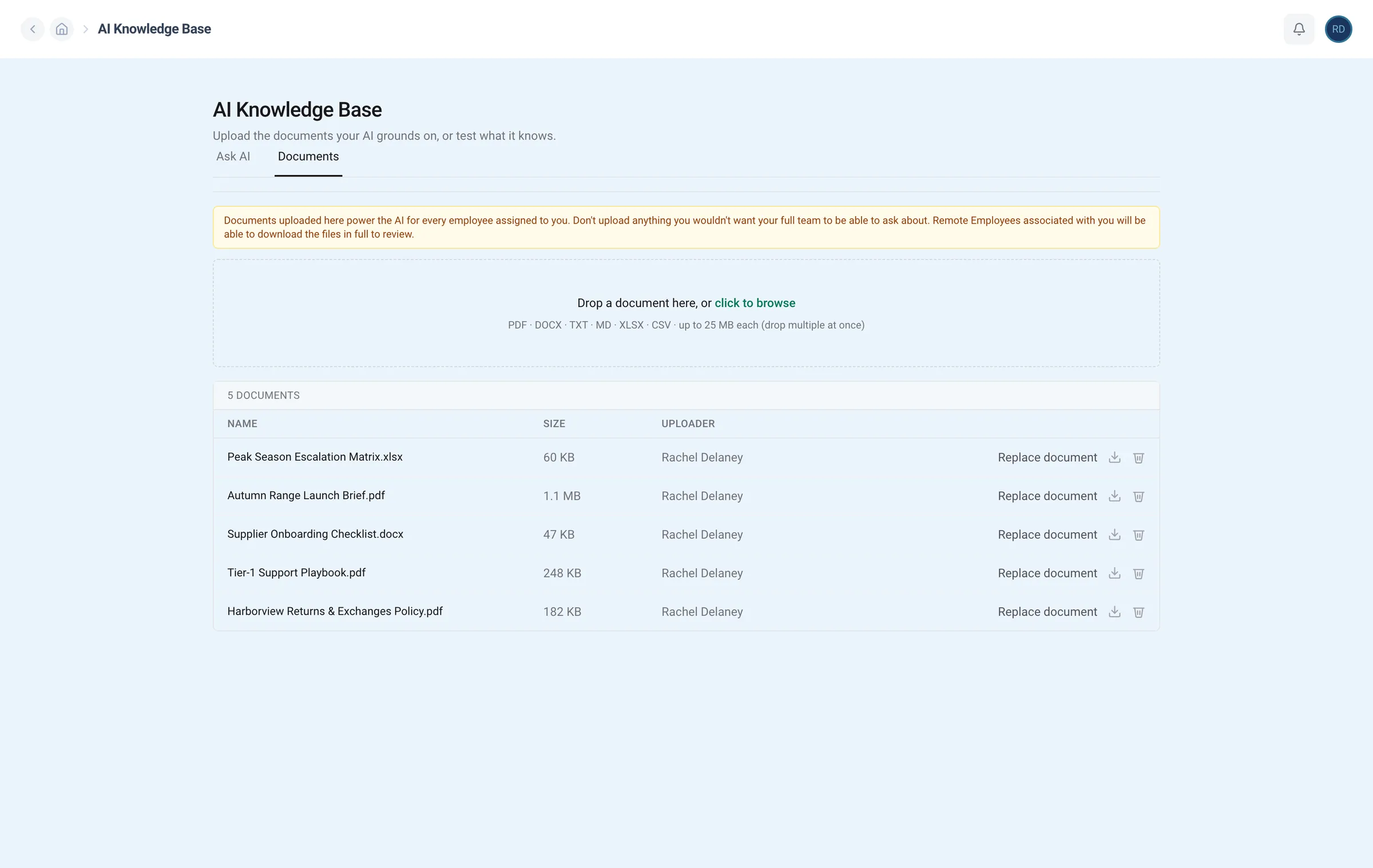
Your documents
Upload your SOPs and policies once for your team. Remove them at any time.
Underlined words move the lens. Click the screen to see it full size.