

|
Don’t have the time to read? Listen here instead or save to your Spotify playlist.


|
If collaboration tools are better than ever, why does work still feel harder than it should?
Many teams now are juggling a bunch of different apps – from chat apps to project boards to video calls and documents yet still manage to miss the mark on key handoffs, duplicate work, and send a whole lot of follow-up emails.
In this guide, we’ll break down which collaboration tools for remote teams actually improve performance, where most companies go wrong, and why tools alone don’t solve collaboration problems – systems and hiring do.
As Ruffy Galang, CEO of Remote Employee®, explains:
“Collaboration breaks when roles are unclear and hiring is rushed. When people know what they own and are supported by systems, collaboration and team communication becomes effortless.”
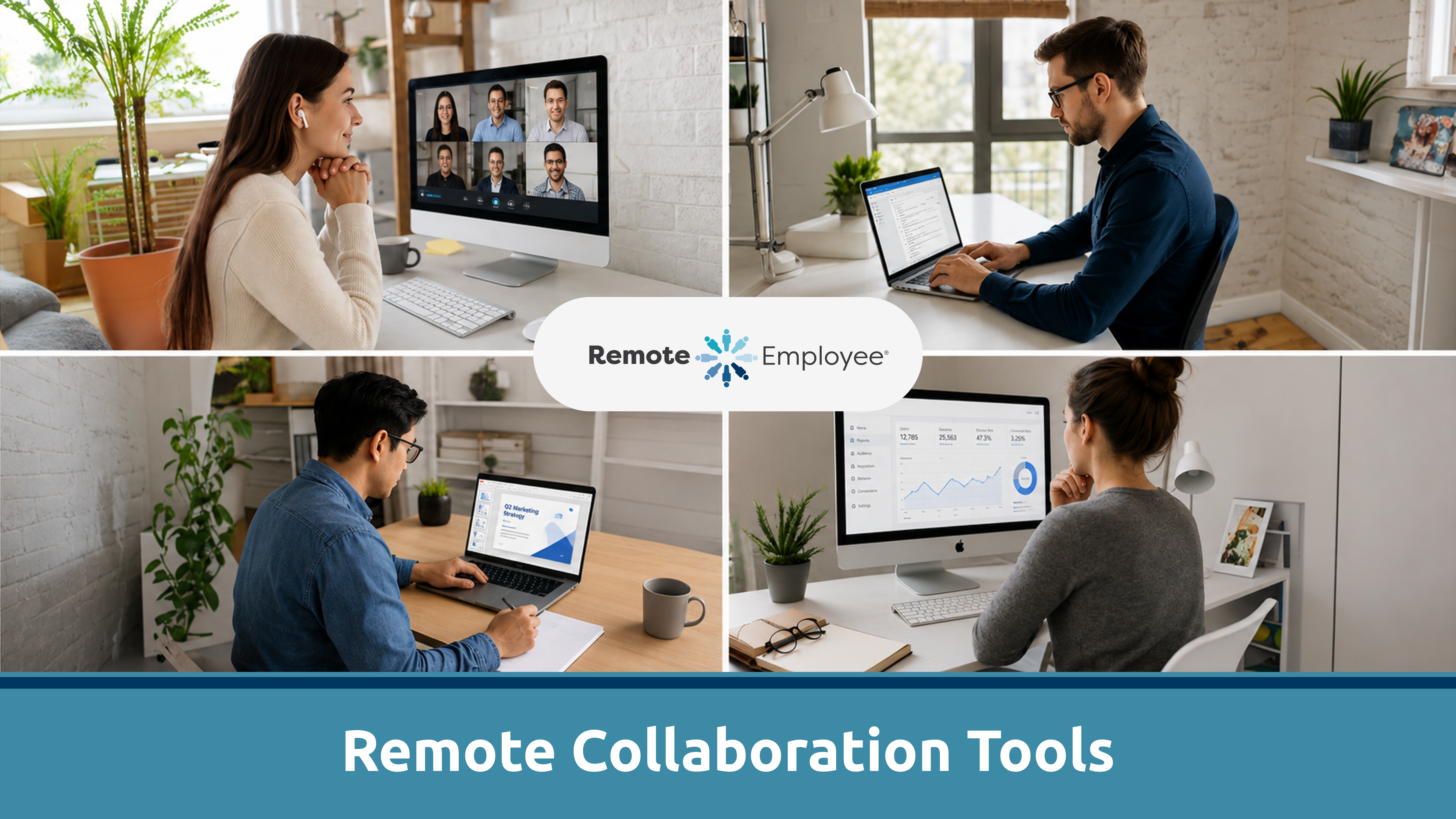
Collaboration Tools for Remote Teams: What They Are and Why Teams Rely on Them
These communication apps are designed to make online collaboration easier. They’re meant to keep team members on the same page with all the features like notifications, comments, and integrated workflows to help avoid miscommunication and make sure everyone is aligned rowing in the same direction.
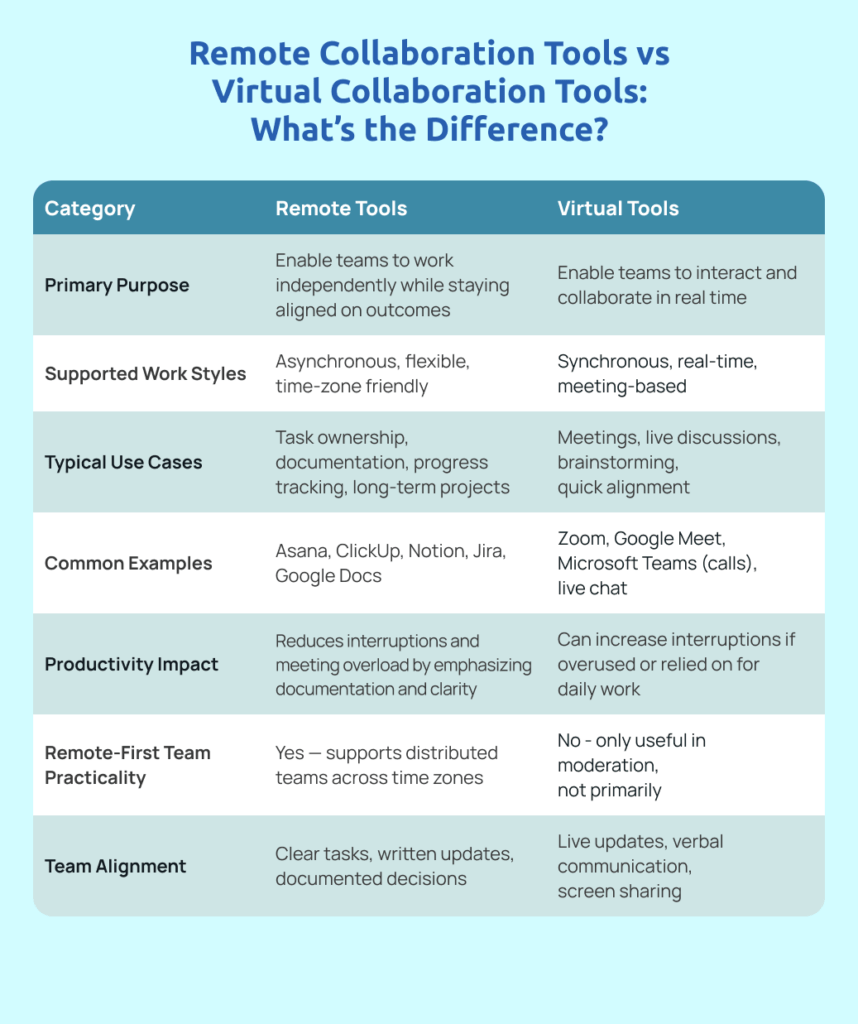
Remote Collaboration Tools vs Virtual Collaboration Tools: What’s the Difference?
While often used interchangeably, remote collaboration tools and virtual collaboration tools aren’t the same in practice.
- Virtual collaboration tools focus on real time collaboration and interaction (video calls, live chat)
- Remote collaboration tools are built for asynchronous work (documentation, task ownership, outcome tracking).
Workplace Collaboration Tools that Actually Scale with Remote Teams
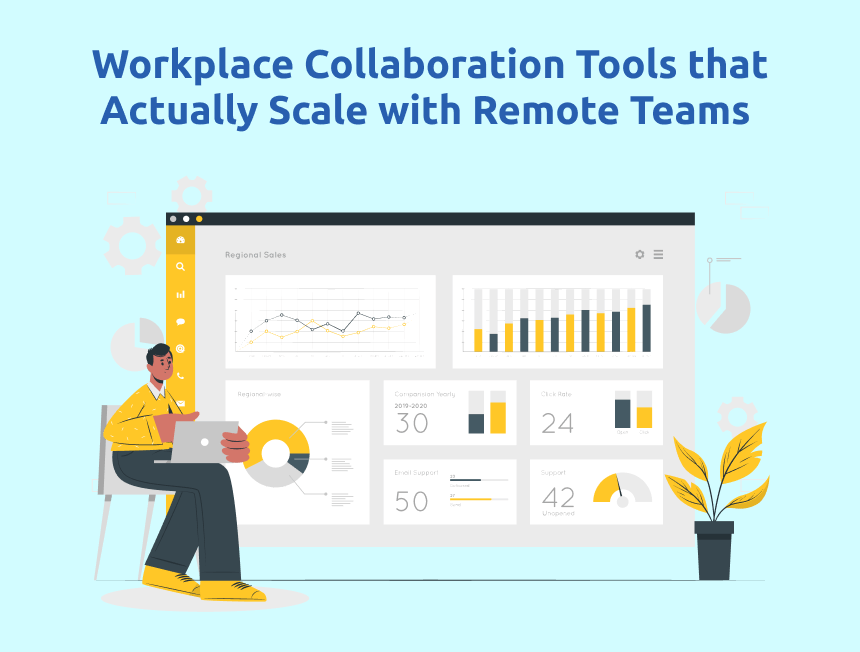
The best workplace collaboration tools don’t increase visibility; they reduce the need for constant checking. A collaboration platform does everything it should to bring a team together by real-time communication and project management helping offshore or remote teams stay connected and productive.
Effective tools support:
- Ownership instead of approvals
- Outcomes instead of activity
- Predictable updates instead of interruptions
Choosing the right tool is essential for remote teams to streamline communication, reduce friction, and ensure effective collaboration.
Digital Collaboration Tools That Reduce Meetings and Improve Output
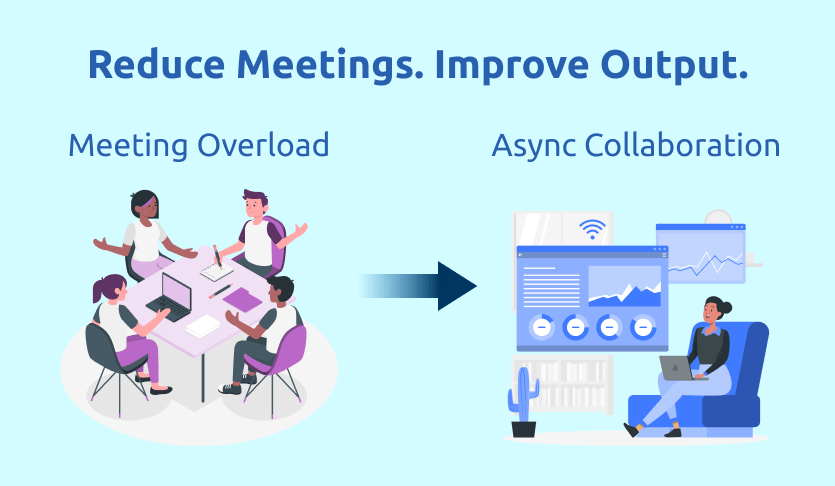
The most effective digital collaboration tools reduce meetings instead of scheduling more of them. These enable remote teams to conduct virtual meetings, making remote communication more efficient, and reducing the need for live discussions. Not only that, but many collaboration tools also sort out sharing and updating meeting notes – so everyone knows what’s going on and is aligned, without needing yet another meeting.
High-performing remote teams rely on:
- Shared documentation
- Written updates
- Recorded async communication
Video conferencing tools also play a crucial role in supporting remote and hybrid environments by providing reliable ways to connect and collaborate without the need for in-person meetings.
Less talk. More clarity.
Remote Collaboration Software Only Works When Roles Are Clearly Defined
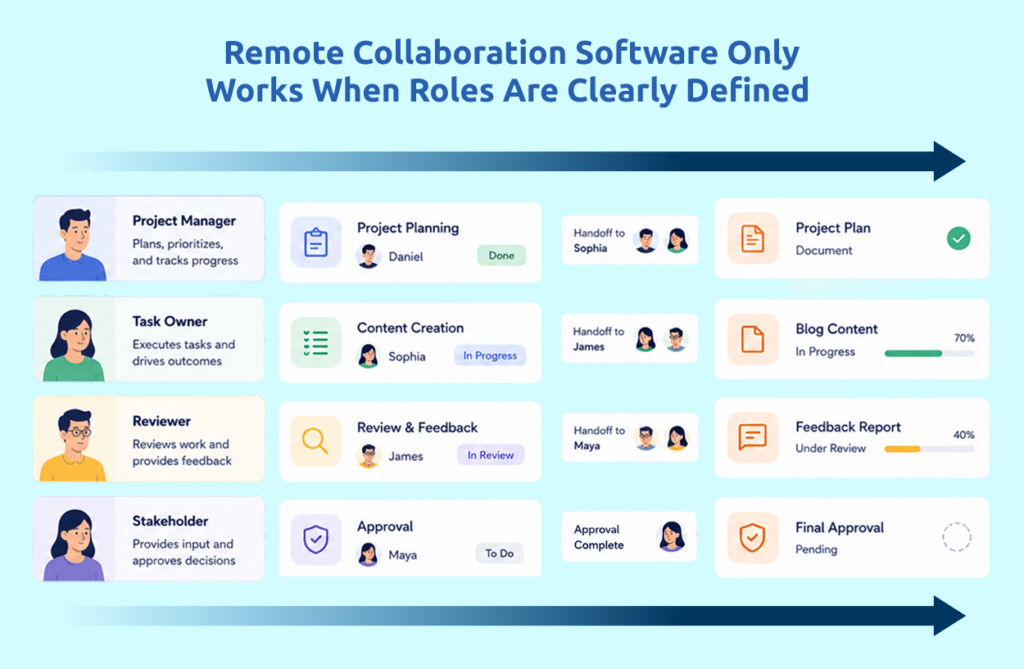
Remote collaboration software doesn’t fail because it’s complex—it fails because ownership is vague.
A strong company culture is essential for effective collaboration, as it fosters trust, engagement, and shared values that help remote teams work together seamlessly.
If no one clearly owns outcomes, everyone over-communicates—and nothing moves faster. Clear ownership not only streamlines communication but also directly boosts the team’s productivity by reducing confusion and enabling smoother workflow management.
Remote Team Collaboration Tools by Function
Different – collaborate differently. The best remote team collaboration tools depend on role structure.
- Operations & Back Office: task ownership, documentation, handoffs, managing project progress, and using collaboration tools to assign tasks and ensure accountability throughout the project lifecycle
- Customer Support: queues, response tracking, escalation paths
- Creative Teams: async reviews, version control, feedback cycles
- Finance & Accounting: accuracy, approvals, compliance documentation
- Software Development Teams: need tools that support coding, bug tracking, and workflow management to streamline collaboration and project delivery
Trying to force one tech stack across every function usually creates friction—not alignment.
Virtual Team Collaboration Tools That Support Asynchronous Work
The strongest offshore or virtual team collaboration tools are async-first.
Async collaboration depends on:
- Clear deliverables
- Documented workflows (with custom workflows, async tools let teams tailor processes and task sequences to fit unique project needs)
- Predictable reporting
- The ability to leave comments on shared files or boards, enabling feedback and discussion asynchronously
Remote work doesn’t fail—real-time dependency does.
The Five Top Virtual Team Collaboration Software Tools Compared
Below is a functional comparison of top virtual team collaboration software tools by category:
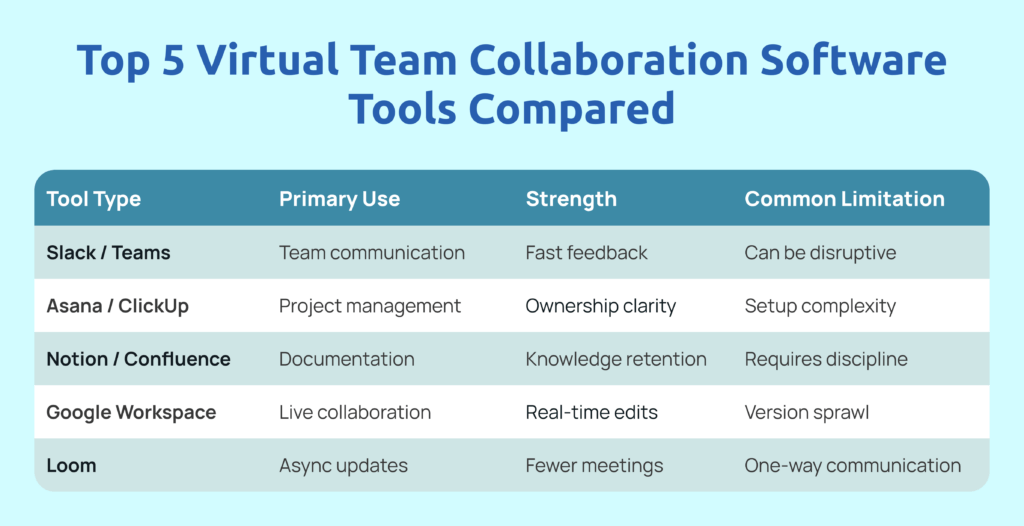
Many of these collaboration tools offer a free plan, which is ideal for small teams or those just starting out with collaboration software. Free plans typically include core features and allow teams to try out the platform before committing to a paid plan.
There is a wide range of collaboration apps and online collaboration tools available, each offering unique features for communication, project management, and workflow integration.
The tool matters less than how the team is trained to use it. Integrating with other tools is also crucial for maximizing productivity and streamlining team workflows.
Collaboration Tools for Virtual Teams

Collaboration tools for virtual teams consist of both remote and virtual collaboration tools. A seamless mix of both is the most effective way to manage a virtual team. If roles and their functions are clearly defined, any new hire, no matter where they are, can become an effective member of the team through collaboration tools.
This is where we come in—before tools ever become a problem.
Collaboration starts at hiring:
- Roles are clearly scoped from day one
- Talent is vetted for autonomy and reliability
- Teams are prepared for async, outcome-based work
All this ensures seamless collaboration, streamlined workflows, and higher productivity for remote teams. The collaboration tech stack amplifies what we do to make scaling with global teams effective and efficient.
Our professionals don’t need constant clarification because expectations are built into the role—not patched in later. As a result, your remote teams can work effectively from the start, maximizing efficiency and communication.
Creating Collaborative Tools for Remote Workforces
High-performing companies:
- Design workflows first – and create templates to streamline processes for recurring projects, supporting effective project planning and ensuring repeatable success across teams.
- Hire for autonomy – and use custom fields in your collaboration tools to customize workflows for each team or project.
- Add tools last
We support all three by delivering talent that thrives inside structured systems.
Collaborative tools can also be used for practical needs like building an editorial calendar and organizing tasks, making it easier to manage content planning and team responsibilities.
Common Questions About Collaboration Tools for Remote Teams
Learn More About Remote Collaboration and Team Performance
If you want to go deeper into building collaborative remote teams beyond tools, these guides break down what works:
Build Collaborative Offshore Teams
Collaboration doesn’t break because teams are remote. It breaks when ownership is unclear; workflows aren’t documented, and the wrong people are placed into the wrong roles. No collaboration tool — no matter how powerful it can compensate for weak systems or rushed hiring.
The teams that collaborate best aren’t the ones with the most tools. They’re the ones with clear expectations, outcome-based workflows, and people who know how to work independently without constant supervision.
That’s exactly where the conversation shifts from tools to talent — and why choosing the right hiring partner matters just as much as choosing the right collaboration tools for remote teams.
Through our hiring services, you work with vetted professionals hired for structured, low-chaos roles. Our teams are trained to collaborate asynchronously, follow documented workflows, and integrate seamlessly into your existing systems. We also ensure smooth integration with the right collaboration software and other apps to maximize productivity and streamline your workflows.
We handle:
- Talent sourcing and vetting
- Role-based hiring
- Compliance, payroll and benefits
- Employee engagement
- Retention support
- Long-term team stability
Our expertise is built on countless hours spent evaluating and implementing collaboration tools for remote teams, ensuring you benefit from proven solutions.
With our approach, your offshore remote teams can quickly create boards to organize projects, brainstorm ideas, monitor progress, and manage tasks visually for better collaboration.
The result?
- Effective usage of collaboration tools for remote teams
- Fewer meetings and faster execution
- Less micromanagement and teams that work together
Start Building Teams Using Remote Collaboration Tools
Visit RemoteEmployee.com to explore our staffing solutions and see how we help companies build collaborative, high-performing remote teams without chaos, without burnout, and without hiring stress.